


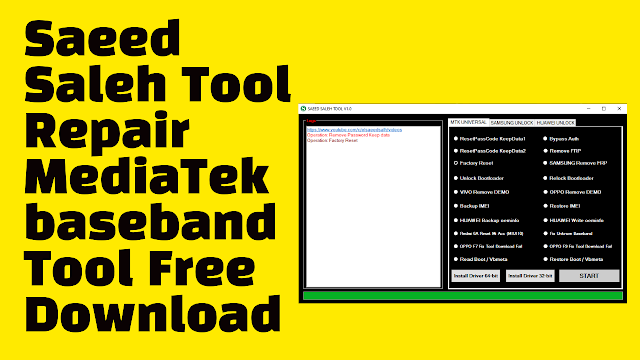
Saeed Saleh Tool V1.0 Download MediaTek baseband Repair Tool. Download Saeed Saleh Tool New Tool Free For All. Saeed Saleh Tool is a small application that works on Windows computers. It lets users bypass auth, baseband repair or fix, FRP Remove, OPPO, VIVO Demo Remove, and other tools that assist users in improving the most frequent or common problem on android MediaTek phones.
- Panda Tools V0.4 Change CSC/ FRP Bypass/ Remove User lock Tool
- iRemoval PRO v5.6 / iRa1n v1.5 All Bugs Fixed Free Download
It works on computers running Windows operating 64-bit devices. You can use the tool for the duration of your life without purchasing or purchase of a license. If you confront any issues with the agency, use the chat feature.
A few new features are included in an update!!
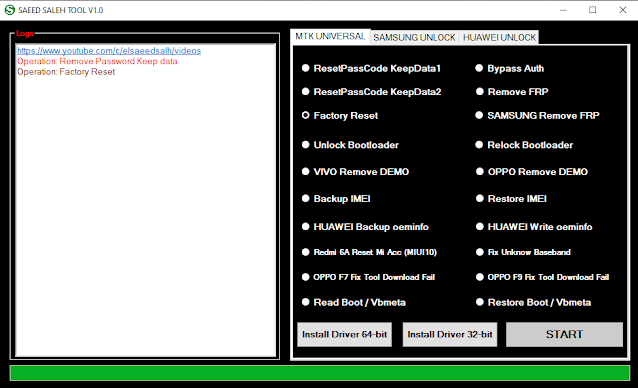
Features Saeed Saleh Tool:
- Reset Pass Code KeepData 1
- Reset Pass Code KeepData 2
- Factory Reset
- Unlock Bootloader
- VIVO Remove Demo
- Backup IMEI
- Huawei Backup oemino
- Redmi 6A Reset Mi Account (MiUi 10)
- OPPO F7 Fix Tool Download Fail
- Read Boot / Vbmeta
- Bypass Auth
- Remove FRP
- Samsung FRP has been removed (MediaTek devices with hardware test points)
- Relock Bootloader
- OPPO Remove DEMO
- Restore IMEI
- Huawei Write oeminfo
- Fix Unkown Baseband
- OPPOF9 Fix Tool Download Fail
- Restore Boot / Vbmeta
How To Use?
- The first step is to first download the file by clicking the following link
- Then, you should unzip all the files on the drive c: It’s vitally crucial
- Then go to the folder in which you will need to extract all the files
- Run the ” SAEED SALEH TOOL V1.1.exe“
- Then, you’ll be able to install all the drivers you have already installed. You can skip this step
- Connect the phone to the internet and try to accomplish any function
- Enjoy !!!
How to Download Saeed Saleh Tool
First, you need to click on the following link to access the Saeed Saleh Tool Repair MediaTek baseband Tool download page: After that, you will need to click on the Download button to start the download process.
Download Link:: Link


