Designed For Technicians And Advanced Users This All-in-one Utility Brings Powerful Adb Fastboot Frp Diag Qr And Imei Features Into A Single Interface. Instead Of Juggling Multiple Tools You Get One Solution That Actually Works When You Need It Most.
Pixel Pro Tool V16 Latest Version Free Download
The Latest Version Comes Packed With Improvements That Make Daily Repair Work Smoother And Safer. It Supports A Wide Range Of Android Brands And Gives You Direct Control Over System-level Functions Without Unnecessary Complexity. Whether You’re Rebooting Devices Managing Partitions Or Handling Frp Everything Is Placed Where It Makes Sense.
What Really Stands Out Is Stability. Tasks Like Rebooting Into Bootloader Sideload Mode Or Edl Are Handled Cleanly. You Don’t Have To Worry About Random Crashes Or Half-completed Operations Which Is Critical When Working On Customer Devices.
What Is The Pixel Pro Tool?
Pixel Pro Tool Is A Professional Android Service Utility Used For Device Management Repair And Maintenance. It Allows You To Interact With Phones Through Adb And Fastboot Manage Security Features And Access Advanced Diagnostic Modes That Are Normally Hidden From Users.
Think Of It As A Technician’s Control Panel. Instead Of Navigating Complex Command Lines You Perform Actions With A Few Clicks. From Reading Device Info To Handling Frp Or Admin Locks The Tool Simplifies Tasks That Usually Require Multiple Scripts Or Software Packages.
Future Pixel Pro Tool
ADB
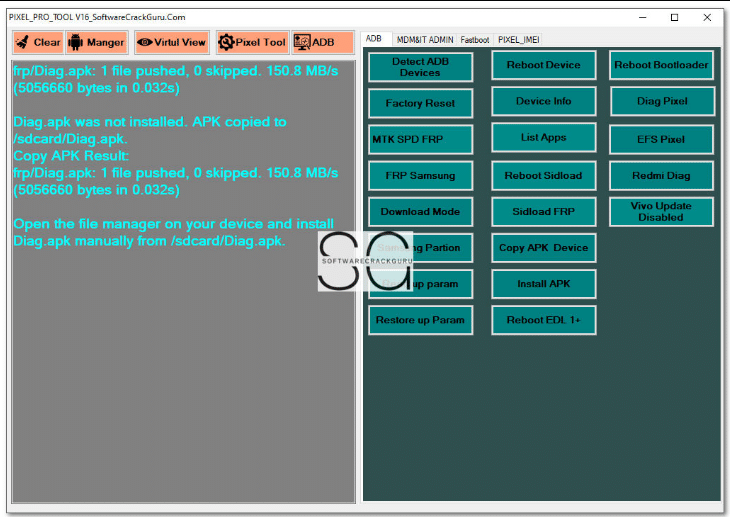
- Detect ADB Devices
- Reboot Device
- Reboot Bootloader
- Factory Reset
- Device Info
- Diag Pixel
- MTK SPD FRP
- List Apps
- EFS Pixel
- FRP Samsung
- Reboot Sideload
- Redmi Diag
- Download Mode
- Sideload FRP
- Vivo Update Disabled
- Config Partition
- Copy APK Device
- Install APK
- Backup UP Param
- Restore UP Param
- Reboot EDL 1+
MDM / IT Admin
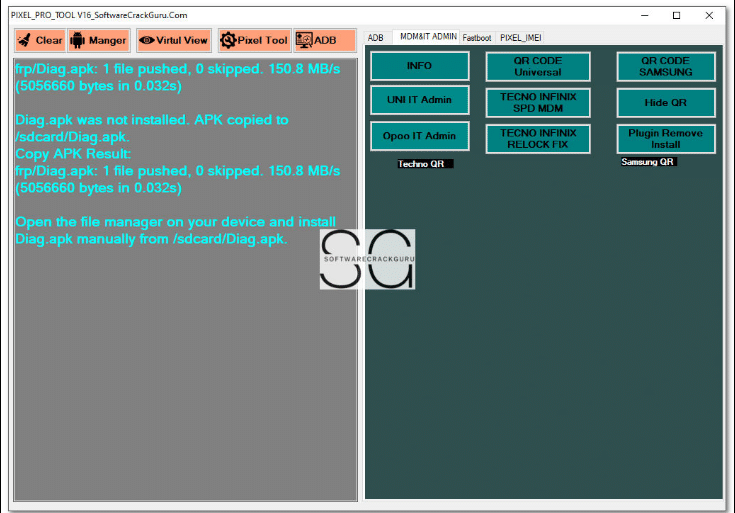
- INFO
- UN IT Admin
- Oppo IT Admin
- Tecno QR
- QR CODE Universal
- TECNO INFINIX SPD MDM
- TECNO INFINIX RELOCK FIX
- QR CODE Samsung
- Hide QR
- Plugin Remove Install
- Samsung QR
Fastboot
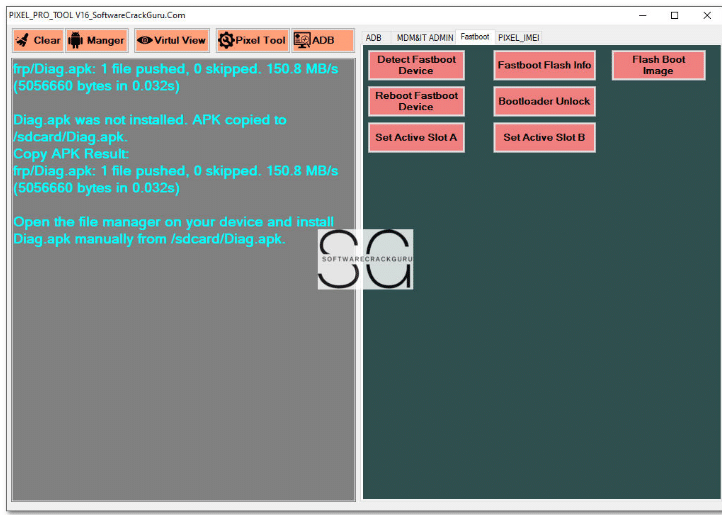
- Detect Fastboot Device
- Reboot Fastboot Device
- Set Active Slot A
- Set Active Slot B
- Fastboot Flash Info
- Bootloader Unlock
- Flash Boot Image
PIXEL_IMEI
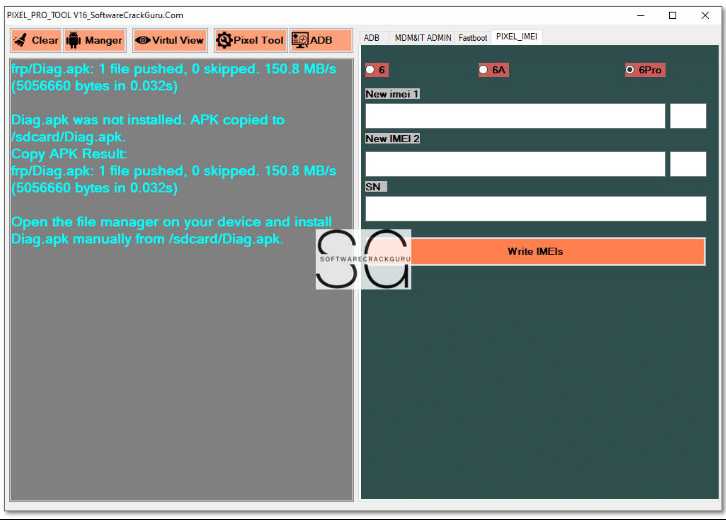
- New IMEI 1 Input
- New IMEI 2 Input
- SN (Serial Number) Input
- Write IMEIs
How To Use It ?
- First Of All, You Must Get The Zip File By Clicking The Following Link
- After That, You Need To Unzip All Files In C: Drive (important)
- Make Sure You’ve Turned Off The Antivirus To Running The Installation
- Then, To Open The Folder, Download The Installation File Following Some Basic Instructions
- Run The “Pixel Pro Tool“
- The Will Open On Your Pc Screen.
Enjoy!
Final Thoughts
If You’re Serious About Android Repair Having The Right Tool Makes All The Difference. Pixel Pro Tool V16 Combines Power Simplicity And Broad Device Support In One Package Which Is Exactly What Technicians Need Today. It Cuts Down Manual Work Reduces Errors And Helps You Handle Even Tricky Cases With Confidence.
Whether You’re Dealing With Adb Issues Fastboot Repairs Frp Locks Or Admin Restrictions This Tool Gives You Practical Control Without Unnecessary Complications. Used Carefully And Responsibly It Can Become A Core Part Of Your Android Servicing Toolkit.
How To Download ?
- Visit The Gsm Crack Tool Website Of The Tool.
- Find The Download Page And Don’t Click Button And Click Only The (Download Link)
- Once The Download Is Complete, Locate The Downloaded File On Your Device.
- Tap On The File To Begin The Installation Process.
- Follow The On-screen Instructions To Complete The Installation.Prime.
Pixel Pro Tool