If You’ve Ever Struggled With A Bricked Android Device Forgotten Passwords Or A Device Stuck In Frp Lock You Know The Frustration. Phones That Won’t Boot Or Reset Properly Can Feel Like They’re Beyond Help. That’s Where The Z3x Easyjtag Emmc Manager Tool Comes In. It’s A Specialized Software That Empowers Technicians And Enthusiasts To Manage Repair And Flash Devices With Ease.
With Version V1.34 This Tool Brings New Capabilities Faster Processing And Extended Device Compatibility. Whether You’re Handling Emmc Operations Partition Repairs Or Unlocking Frp Locks This Tool Makes Complex Tasks Accessible Even If You’re Not A Seasoned Pro.
Z3x Easyjtag Emmc Manager Tool V1.34 Latest Version Free Download
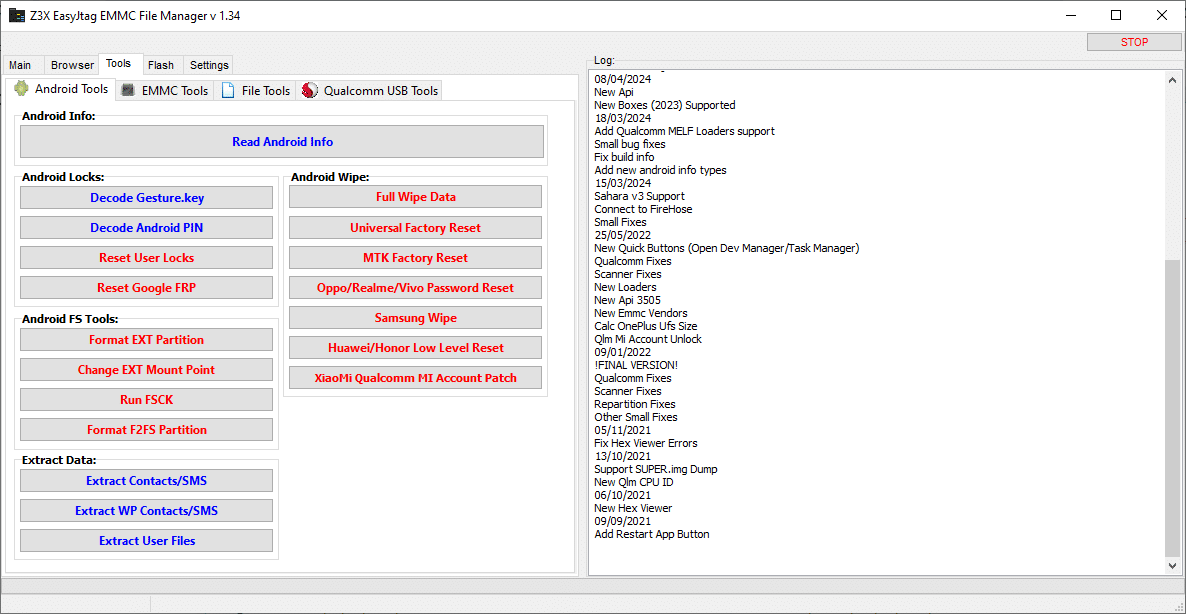
The Latest Version Of The Z3x Easyjtag Emmc Manager Tool Comes Packed With Advanced Features For Every Level Of Device Maintenance. From Reading Android Info To Performing Full Factory Resets It Handles Almost Every Scenario You Might Encounter While Servicing A Smartphone Or Tablet.
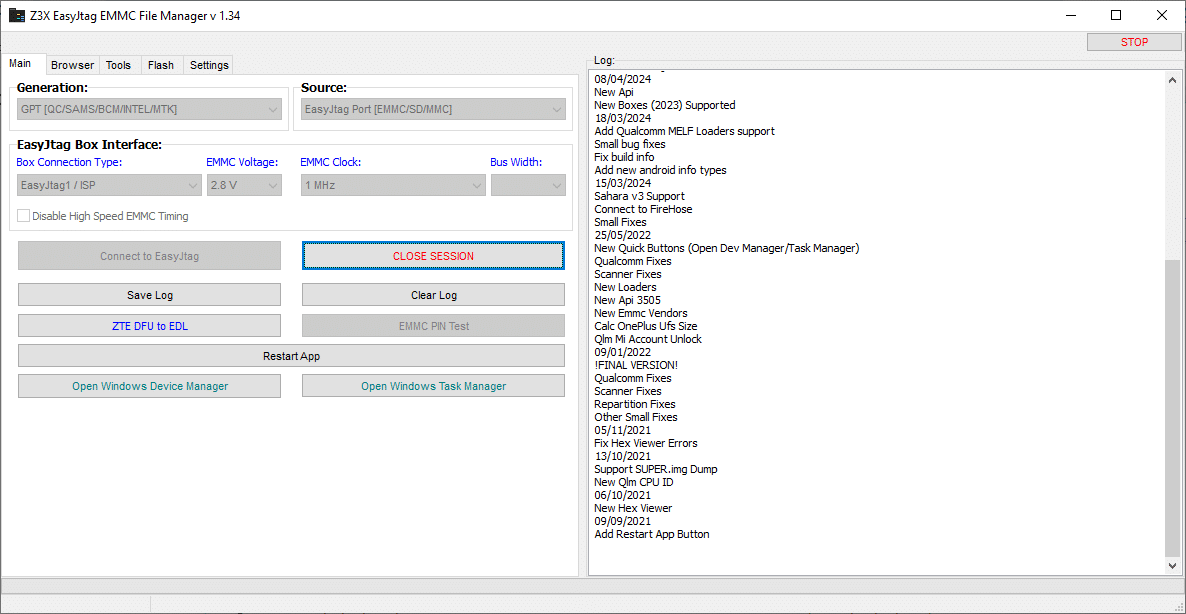
It Also Supports Both Easyjtag And Isp Connection Types Allowing For Direct Access To Emmc Chips. With Adjustable Voltage Clock Settings And Bus Width Selection You Gain Precise Control Over Device Hardware Ensuring Safe And Effective Operations.
What Is The Z3x Easyjtag Emmc Manager Tool?
The Z3x Easyjtag Emmc Manager Tool Is An All-in-one Solution For Repairing And Managing Android Devices. Its Core Purpose Is To Read Write And Repair Emmc Storage On Smartphones Which Is Essential When Devices Fail To Boot Encounter Corrupted Partitions Or Have Locked Frp Accounts.
In Simple Terms It Allows You To Interact With The Device Memory At A Deep Level Similar To A “surgical Toolkit” For Phone Technicians. This Makes It Indispensable For Anyone Who Regularly Works With Smartphones From Brands Like Samsung Huawei Xiaomi Oppo Vivo Or Qualcomm-based Devices.
Feature Z3x Easyjtag Emmc Manager Tool
Main
EasyJtag Box Interface
Box Connection Type (EasyJtag / ISP)
EMMC Voltage Control
EMMC Clock Setting
Bus Width Selection
Disable High Speed EMMC Timing
Tools
Android Tools
Read Android Info
Decode Gesture Lock
Decode Android PIN
Reset User Locks
Reset Google FRP
Full Wipe Data
Universal Factory Reset
MTK Factory Reset
Oppo / Realme / Vivo Password Reset
Samsung Wipe
Huawei / Honor Low Level Reset
Xiaomi MI Account Patch
Format EXT Partition
Change EXT Mount Point
Run FSCK
Format F2FS Partition
Extract Contacts / SMS
Extract User Files
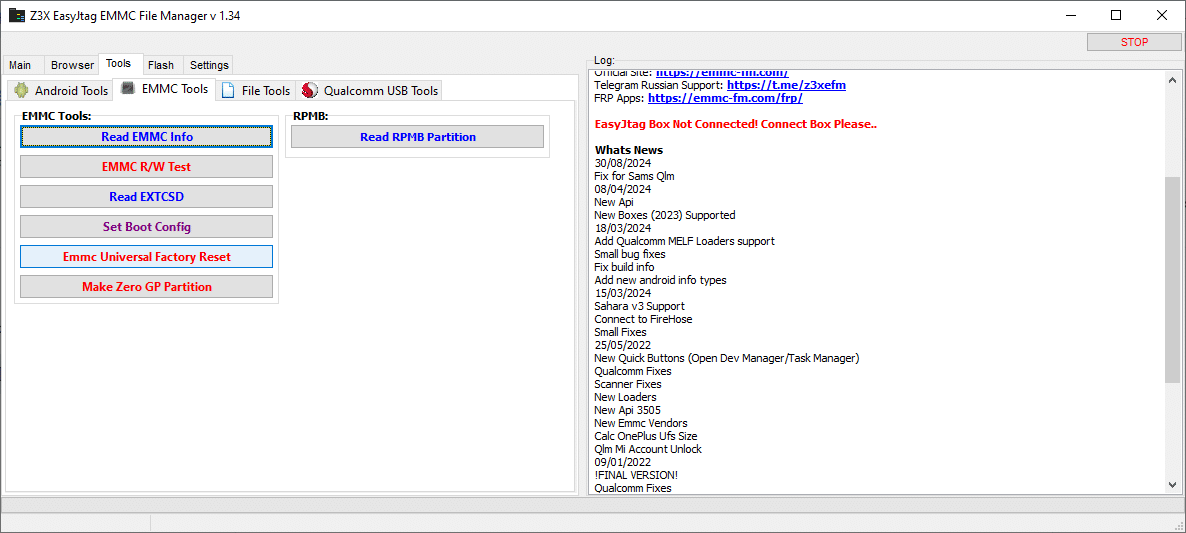
EMMC Tools
Read EMMC Info
EMMC R/W Test
Read EXT_CSD
Set Boot Config
EMMC Universal Factory Reset
Make Zero GP Partition
Read RPMB Partition
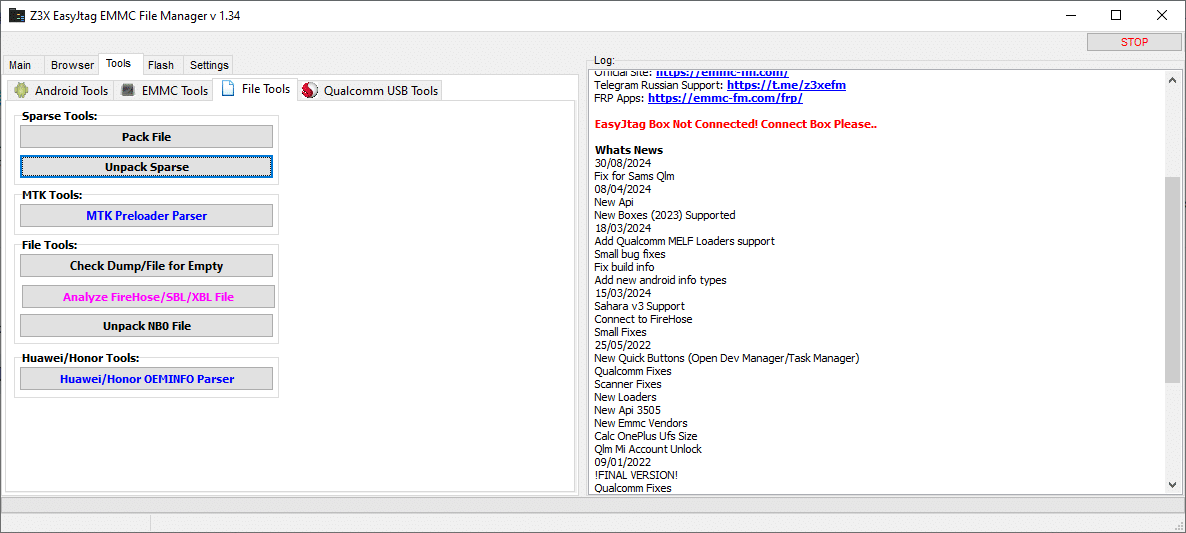
File Tools
Pack File
Unpack Sparse
MTK Preloader Parser
Check Dump/File for Empty
Analyze Firehose / SBL / XBL File
Unpack NB0 File
Huawei / Honor OEMINFO Parser
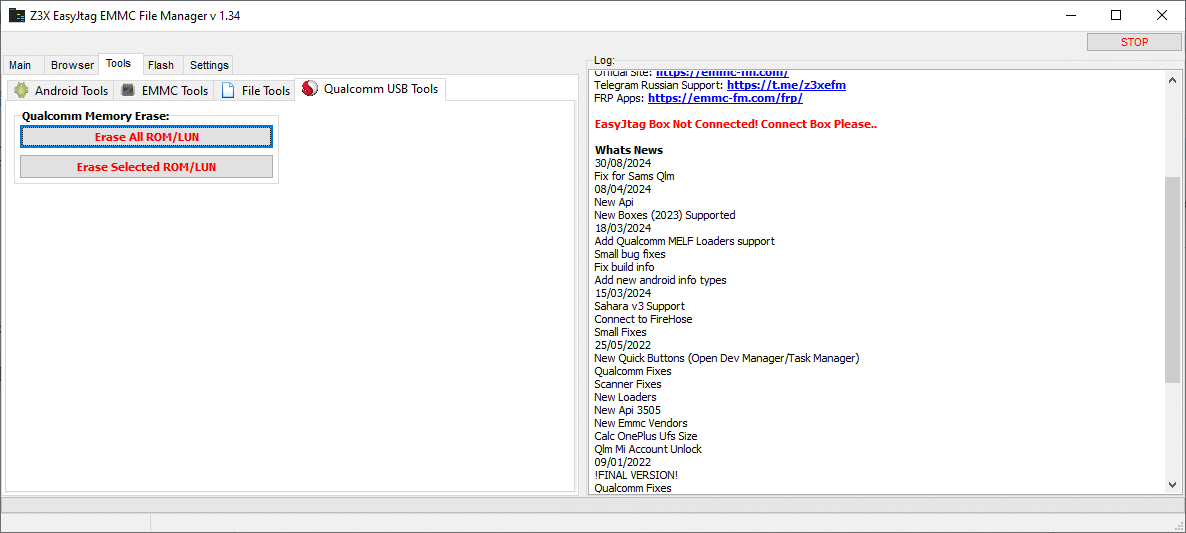
Qualcomm USB Tools
Erase All ROM/LUN
Erase Selected ROM/LUN
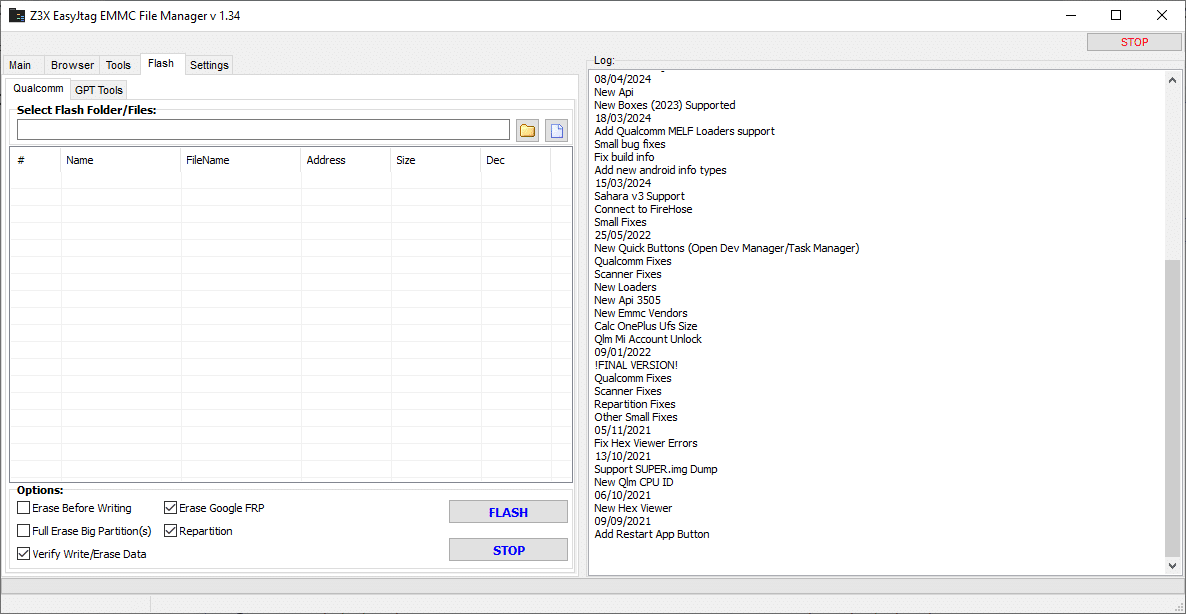
Flash
Qualcomm
Qualcomm support tools
GPT (GUID Partition Table) tools
Flash file manager (load and manage flash files)
Address-based flashing control
Partition handling and editing
EMMC file operations
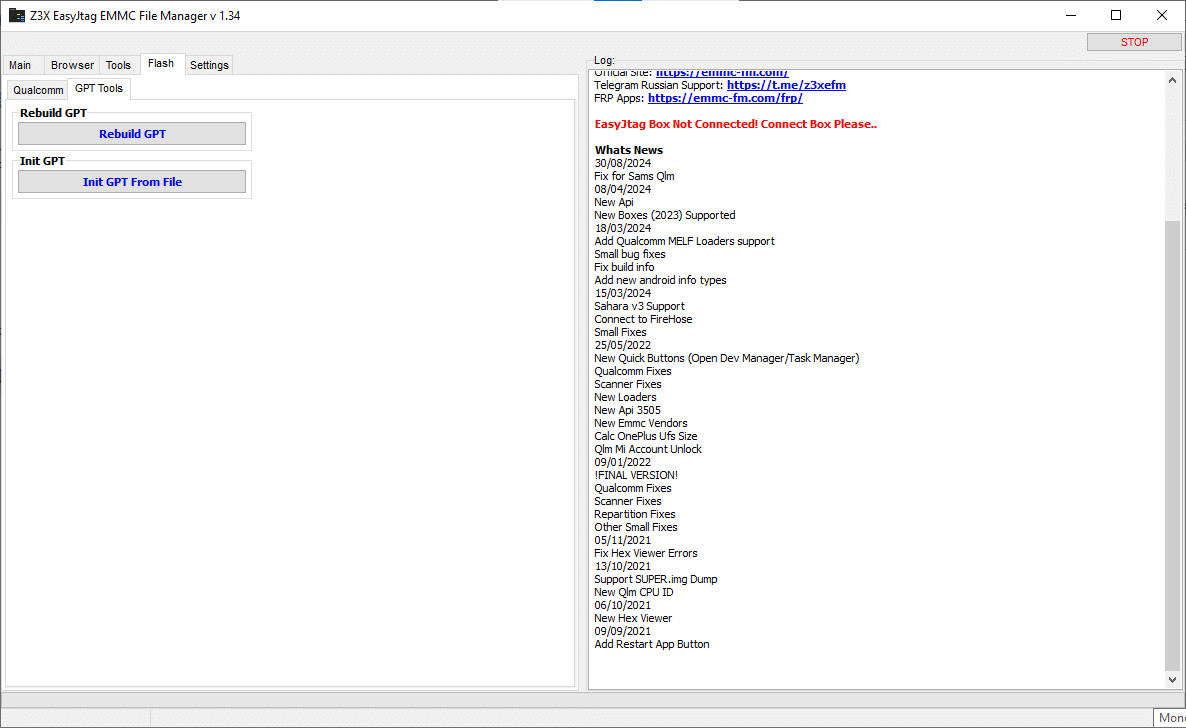
GPT Tools
Rebuild GPT → Used to repair a corrupted or damaged GPT
Init GPT From File → Used to create/restore GPT from a file
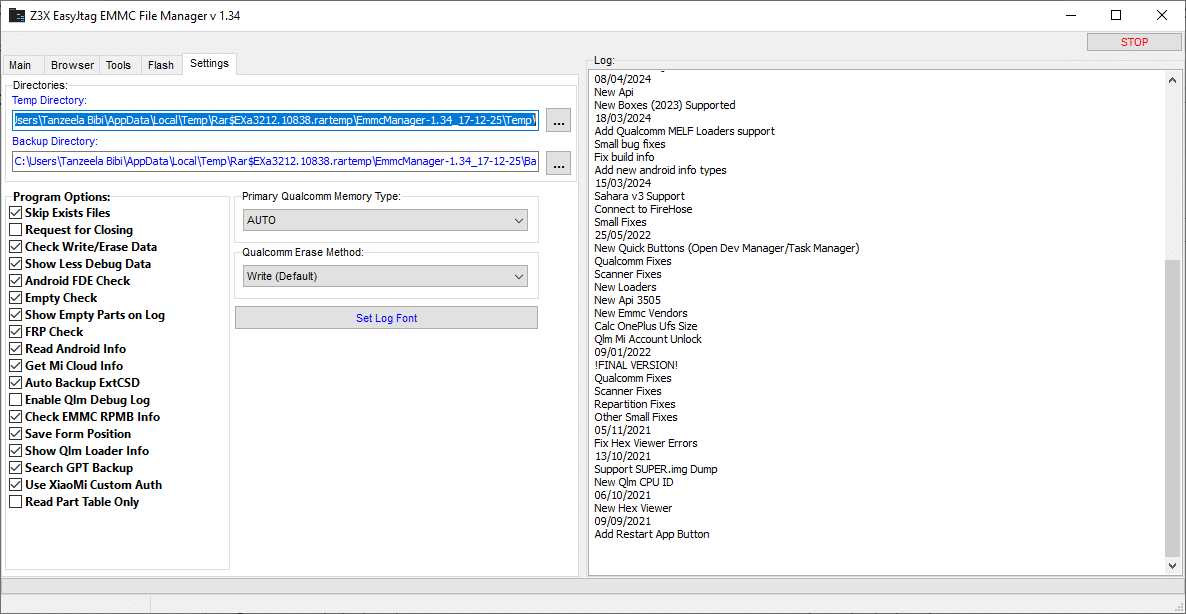
Settings
Skip Exists Files
Request for Closing
Check Write/Erase Data
Show Less Debug Data
Android FDE Check
Empty Check
Show Empty Parts on Log
FRP Check
Read Android Info
Get Mi Cloud Info
Auto Backup ExtCSD
Enable Qlm Debug Log
Check EMMC RPMB Info
Save Form Position
Show Qlm Loader Info
Search GPT Backup
Use Xiaomi Custom Auth
Read Part Table Only
How To Use It ?
First Of All, You Must Get The Zip File By Clicking The Following Link
After That, You Need To Unzip All Files In C: Drive (important)
Make Sure You’ve Turned Off The Antivirus To Running The Installation
Then, To Open The Folder, Download The Installation File Following Some Basic InstructionsKleister and PDT Platform Detector Tool
Run The “Z3x Easyjtag Emmc Manager Tool“
The Will Open On Your Pc Screen. Enjoy!
Final Thoughts
For Anyone Working In Smartphone Repair The Z3x Easyjtag Emmc Manager Tool Is A Must-have. It Combines Hardware-level Emmc Control With Android Software Management Offering A One-stop Solution For Device Repair Flashing And Unlocking.
Version V1.34 Continues To Enhance Stability Compatibility And Ease Of Use. Whether You’re A Professional Technician Or A Hobbyist This Tool Saves Time Increases Efficiency And Ensures Devices Are Safely Restored To Full Functionality.
How To Download ?
Visit The Gsm Crack Tool Website Of The Tool.
Find The Download Page And Don’t Click Button And Click Only The (Download Link)
Once The Download Is Complete, Locate The Downloaded File On Your Device.
Tap On The File To Begin The Installation Process.
Follow The On-screen Instructions To Complete The Installation.Prime.