If You’ve Ever Struggled With A Stuck Logo Frp Lock Or A Failed Firmware Flash You Already Know How Frustrating Android Repair Can Be. That’s Where Sirens Flash Tool Comes In—it Gives You A Powerful Yet Simple Way To Fix Flash And Restore Your Device Without Complicated Steps.
Whether You’re A Beginner Trying To Revive Your Phone Or A Technician Handling Multiple Devices Daily This Tool Acts Like An All-in-one Control Panel. From Flashing Firmware To Repairing Imei And Unlocking Bootloaders It Packs Everything You Need Into One Clean Interface.
Sirens Flash Tool V1.0 Latest Version Free Download
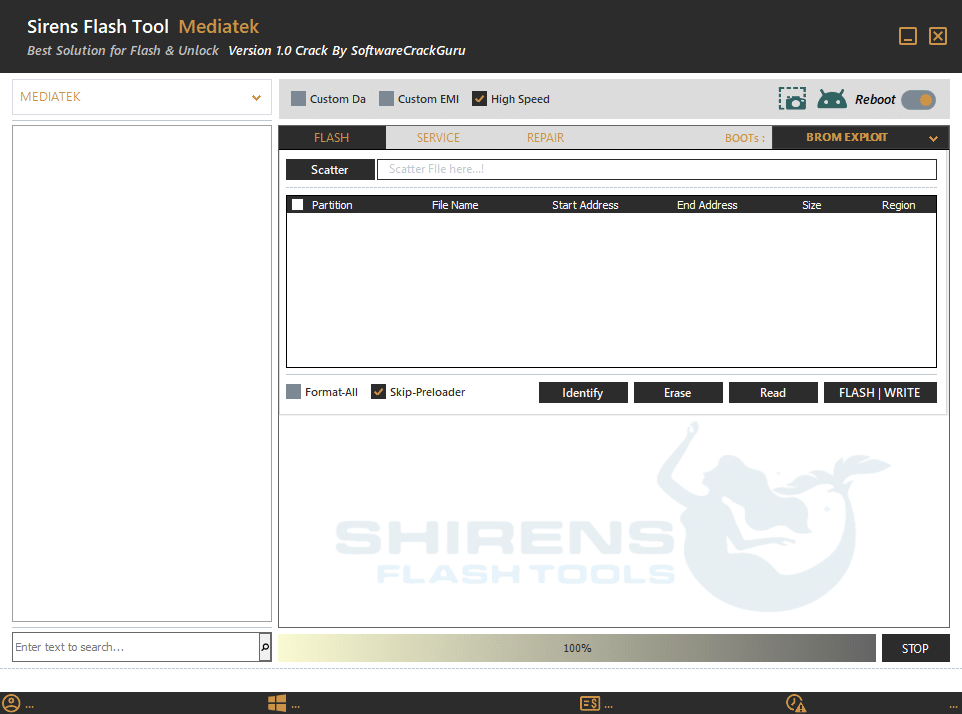
The Latest Version Of Sirens Flash Tool V1.0 Brings Improved Stability And Faster Processing For Mediatek-based Devices. It Supports Advanced Flashing Methods Like Scatter File Loading Along With A Partition Display Panel That Lets You Clearly View All Partitions Before Flashing.
In Addition The Tool Includes Essential Controls Like Start/Stop Buttons, A Progress Bar For Real-time Updates And A Search/Device Panel To Quickly Detect Connected Devices. With High Speed Mode And Optimized Flashing Algorithms You Can Complete Tasks Faster Without Compromising Safety.
What Is The Sirens Flash Tool?
Sirens Flash Tool Is A Professional Android Servicing Software Mainly Designed For Mediatek (mtk) Devices. It Helps Users Flash Firmware Repair System Issues And Perform Advanced Service Operations Like Reset Format Userdata And Imei Repair.
Think Of It As A Toolkit That Combines Flashing Repair And Unlocking Features In One Place. Instead Of Using Multiple Tools You Can Handle Everything—from Boot Repair To Data Fixes—inside A Single Dashboard.
Key Purpose Of The Tool
The Main Purpose Of This Tool Is To Simplify Complex Mobile Repair Processes. For Example If Your Phone Is Soft-bricked Or Stuck In Bootloop You Can Use Scatter File Loading And Flash Firmware Safely.
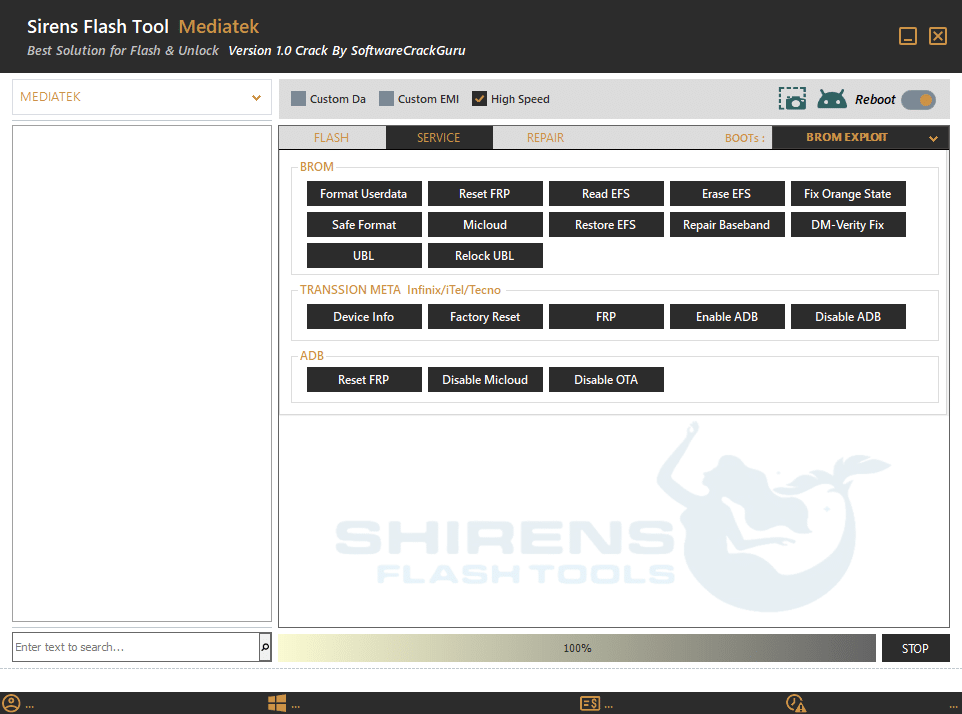
It Also Helps Technicians Handle Critical Operations Like Read Efs Erase Efs And Restore Efs Which Are Essential For Maintaining Device Identity And Network Functionality.
Who Should Use It
This Tool Is Ideal For Mobile Repair Technicians, Software Engineers And Even Advanced Users. If You Frequently Deal With Flashing Firmware Or Unlocking Devices You’ll Find It Extremely Useful.Even Beginners Can Use It Thanks To Its Simple Interface And Guided Options. However For Advanced Features Like Brom Exploit Support Some Technical Knowledge Is Helpful.
Feature Sirens Flash Tool V1.0
Flash
Scatter File Loading
Partition Display Panel
File Name Mapping
Start Address / End Address View
Partition Size & Region Info
SERVICE
Format Userdata
Reset FRP
Read EFS
Erase EFS
Fix Orange State
Safe Format
MiCloud Bypass
Restore EFS
Repair Baseband
DM-Verity Fix
UBL (Unlock Bootloader)
Relock UBL
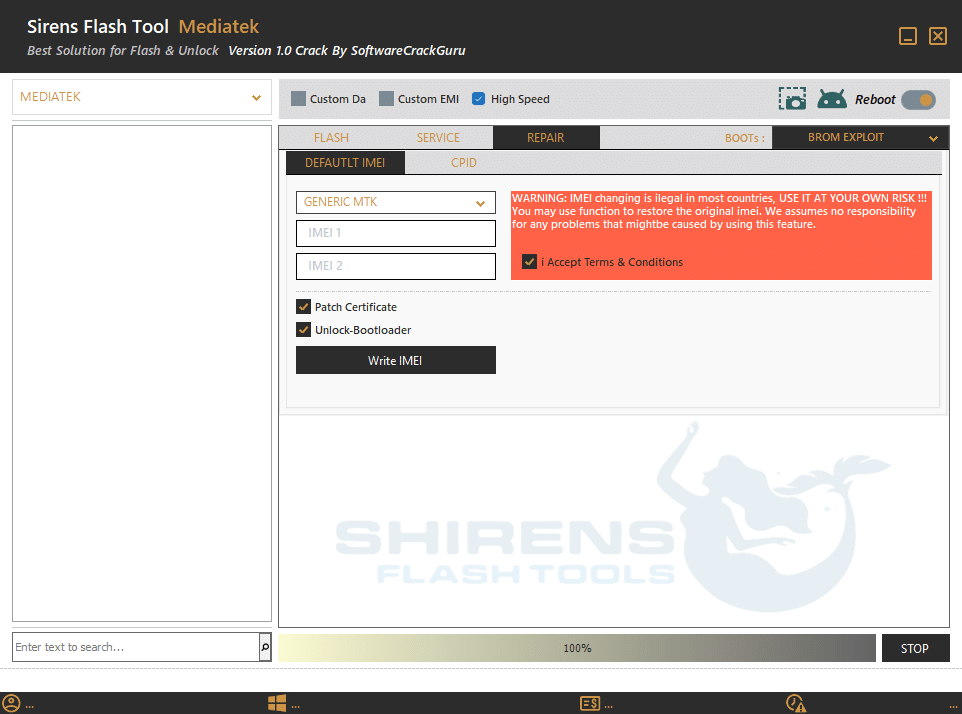
Repair
Default IMEI
Mediatek (MTK) support
Custom DA support
Custom EMI support
High Speed mode
Reboot option
Flash / Service / Repair tabs
IMEI repair (Write IMEI)
Dual IMEI input (IMEI 1 & IMEI 2)
Generic MTK mode selection
CPID option
Patch Certificate
Unlock Bootloader
Boot selection (Boots menu)
BROM Exploit support
Terms & Conditions confirmation
Warning for IMEI operation
Progress bar
Start/Stop control
Search/device panel
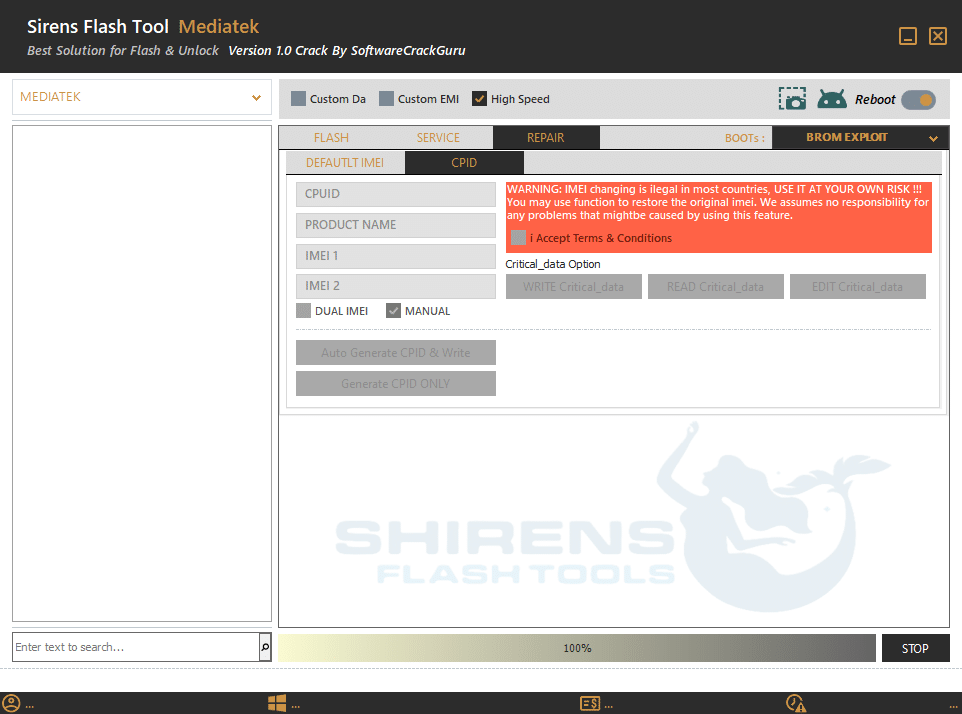
CPID
CPID (Chip ID) management
CPUID detection/input
Product Name detection field
Auto Generate CPID & Write
Generate CPID Only
Manual CPID mode
Dual IMEI handling
Critical Data Management
Advanced IMEI restore option
Secure data handling controls
BROM Exploit mode for deeper access
Boot-level operation support
Data verification via certificate patch
How To Use It ?
First Of All, You Must Get The Zip File By Clicking The Following Link
After That, You Need To Unzip All Files In C: Drive (important)
Make Sure You’ve Turned Off The Antivirus To Running The Installation
Then, To Open The Folder, Download The Installation File Following Some Basic InstructionsKleister and PDT Platform Detector Tool
Run The “Sirens Flash Tool“
The Will Open On Your Pc Screen. Enjoy!
Final Thoughts
If You’re Looking For A Reliable And Powerful Android Repair Solution Sirens Flash Tool Is Definitely Worth Trying. It Combines Simplicity With Advanced Features Making It Suitable For Both Beginners And Professionals.
From Flashing Firmware To Handling Critical Repairs Like Imei Restoration And Bootloader Unlocking This Tool Does It All. Just Use It Carefully Follow Proper Steps And It Can Save You Hours Of Frustration.
How To Download ?
Visit The Gsm Crack Tool Website Of The Tool.
Find The Download Page And Don’t Click Button And Click Only The (Download Link)
Once The Download Is Complete, Locate The Downloaded File On Your Device.
Tap On The File To Begin The Installation Process.
Follow The On-screen Instructions To Complete The Installation.Prime.