Samsung android 16 frp tool v1. 2 – easily remove frp locks on android 16 devices with full adb support and live logging.
Getting Locked Out Of Your Samsung Phone After A Factory Reset Can Be Extremely Frustrating. You Enter The Setup Screen And Suddenly The Device Asks For The Previously Synced Google Account. If You Don’t Remember Those Details Your Phone Becomes Useless In Your Hands.
That’s Where The Samsung Android 16 Frp Tool Comes In. This Handy Windows-based Utility Helps You Remove The Frp Lock Safely And Regain Access To Your Device. In This Article You’ll Learn What The Tool Is How It Works Its Features And How To Use It Step By Step.
Samsung Android 16 Frp Tool V1.2 Latest Version Free Download
The V1.2 Release Is Specially Developed For Modern Samsung Smartphones Running Android 16. Older Frp Tools Often Fail On New Security Updates But This Version Is Built To Handle The Latest Protection Layers.
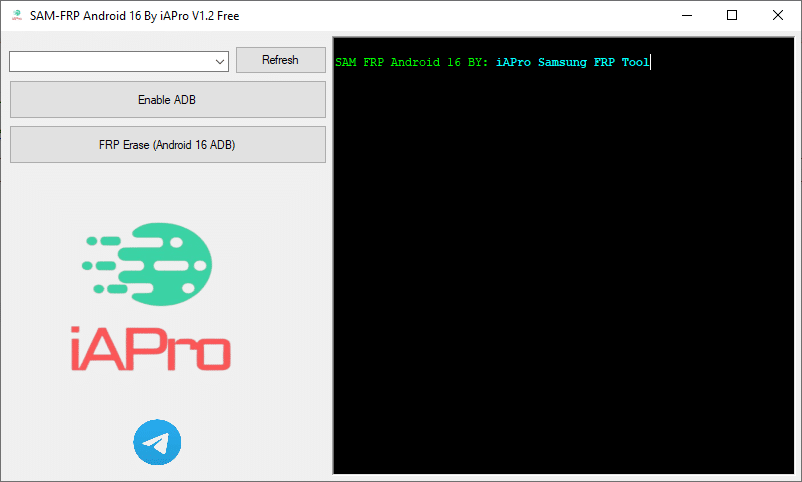
It Comes With A Simple Windows Gui Application That Allows Easy Device Detection Adb Activation Frp Removal And Live Log Monitoring. Even Beginners Can Use It Without Technical Knowledge.
What Is The Samsung Android 16 Frp Tool?
The Samsung Android 16 Frp Tool Is A Windows Utility Designed To Remove Factory Reset Protection From Samsung Devices. Frp Is A Security System That Protects Phones From Unauthorized Use After A Reset. However It Becomes A Problem When You Forget Your Google Account Or Buy A Second-hand Phone.
This Tool Uses Adb-based Commands To Communicate With Your Phone And Safely Erase The Frp Lock. It Offers A Fast And Reliable Solution Without Damaging System Files.
First Of All, You Must Get The Zip File By Clicking The Following Link
After That, You Need To Unzip All Files In C: Drive (important)
Make Sure You’ve Turned Off The Antivirus To Running The Installation
Then, To Open The Folder, Download The Installation File Following Some Basic Instructions
Run The “Samsung Android 16 Frp Tool“
The Will Open On Your Pc Screen. Enjoy!
Final Thoughts
The Samsung Android 16 Frp Tool V1.2 Is A Powerful And User-friendly Solution For Removing Frp Locks On Modern Samsung Devices. It Saves Time Avoids Frustration And Works Smoothly Even On The Latest Android Updates. If You’re Stuck At The Google Verification Screen This Tool Can Help You Get Back Into Your Phone Quickly And Safely. Use It Responsibly Follow The Steps Carefully And You’ll Have Your Samsung Device Running Again In No Time.
How To Download ?
Visit The Gsm Crack Tool Website Of The Tool.
Find The Download Page And Don’t Click Button And Click Only The (Download Link)
Once The Download Is Complete, Locate The Downloaded File On Your Device.
Tap On The File To Begin The Installation Process.
Follow The On-screen Instructions To Complete The Installation.Prime.