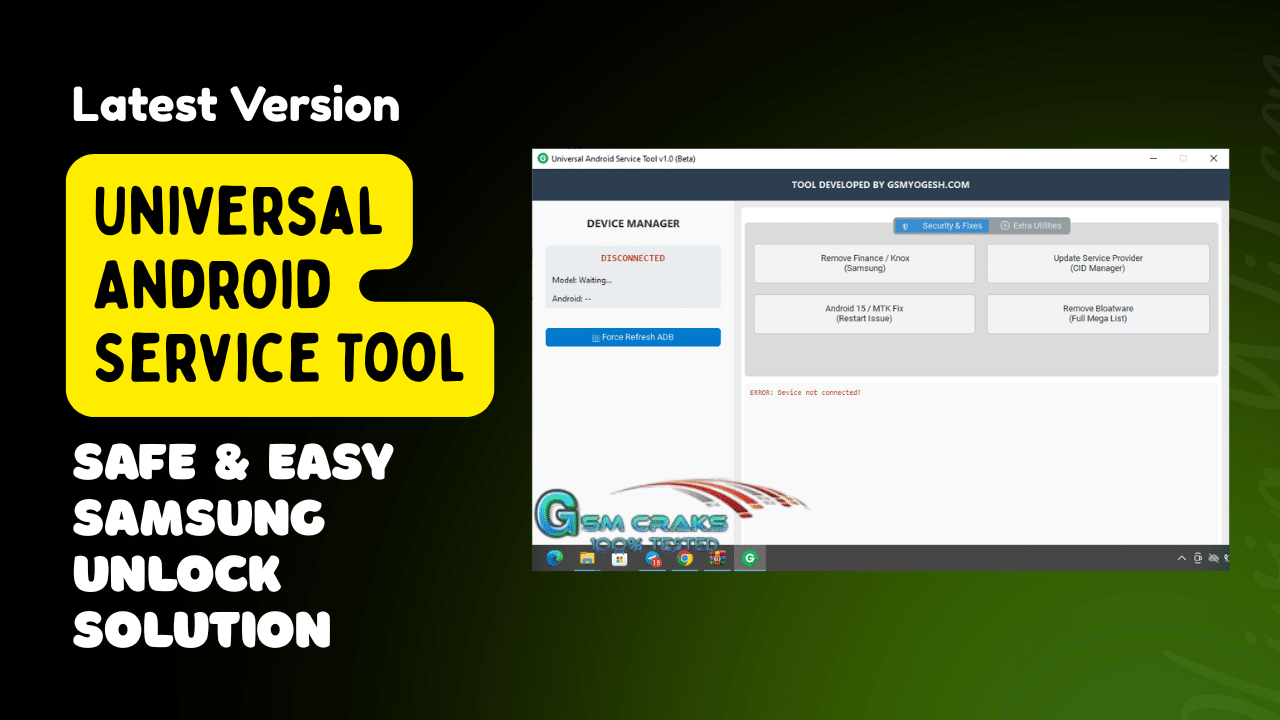
Easily remove unwanted apps and bloatware from your android device with the universal android debloater tool.
If You’ve Ever Struggled With Android Restrictions Stubborn Bloatware Or Devices Stuck In Restart Loops You’re Not Alone. Many Technicians Face The Same Challenges Every Day Especially When Dealing With Locked Smartphones Or Complicated System Issues. Tools That Once Felt Powerful Now Seem Outdated Or Slow And That’s Why Having A Dependable Solution Matters More Than Ever.
The Universal Android Service Tool Steps In Exactly Where Older Tools Fall Short. It Offers A Simplified Workflow Updated Compatibility And A Long List Of Features That Actually Solve Real-world Problems. Whether You Repair Android Devices Professionally Or Manage Your Own Phones This Tool Helps You Work Faster Fix Deeper Issues And Avoid Unnecessary Complications.
What Is The Universal Android Service Tool?
The Universal Android Service Tool Is An Advanced All-in-one Utility Designed For Android Technicians Developers And Enthusiasts Who Want Complete Control Over Smartphone Functions. It Brings Together Dozens Of Essential Repair Optimization And System-level Features In A Single Lightweight Interface. From Security Patches To Frp Bypass Triggers It’s Built To Handle Both Simple And Complex Device Tasks.
Unlike Many Tools That Only Support A Few Models This Utility Works Across A Wide Range Of Android Brands And Chipsets. It Also Offers Newer Fixes Such As Android 15 And Mtk Restart-issue Solutions Making It Far More Future-ready Than Older Alternatives. Whether You’re Managing Samsung Knox Issues Optimizing Performance Or Updating Provider Information The Tool Runs Smoothly And Efficiently.
Read More
Feature Universal Android Service Tool:
Security & Fixes
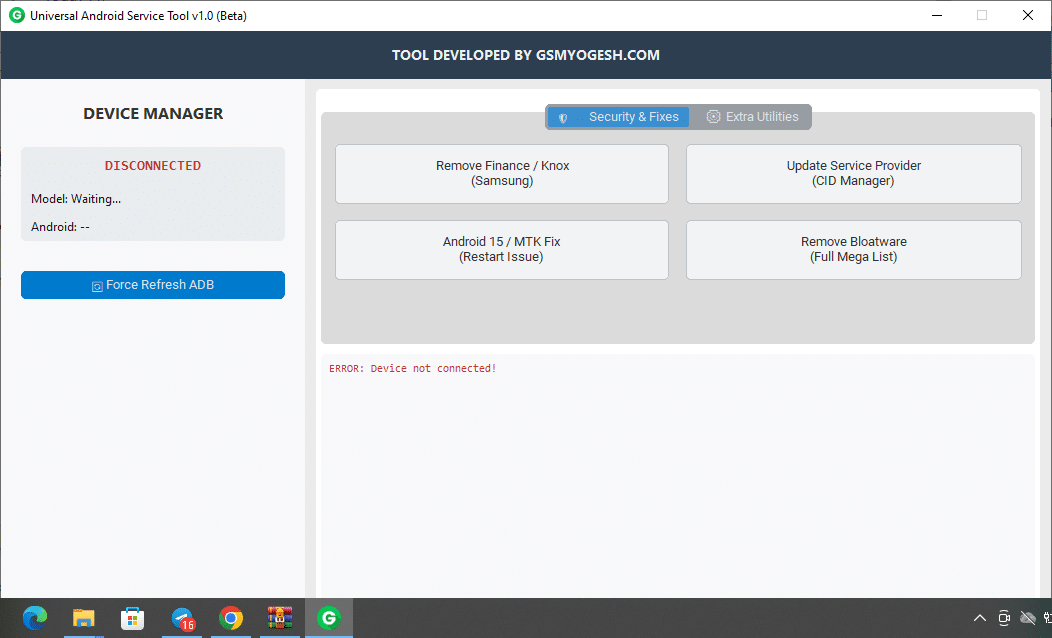
A powerful tool to enhance and troubleshoot your android device’s performance.
- +Remove Finance / Knox (samsung)
- Update Service Provider (cid Manager)
- Android 15 / Mtk Fix (restart Issue)
- Remove Bloatware (full Mega List)
Extra Utilities
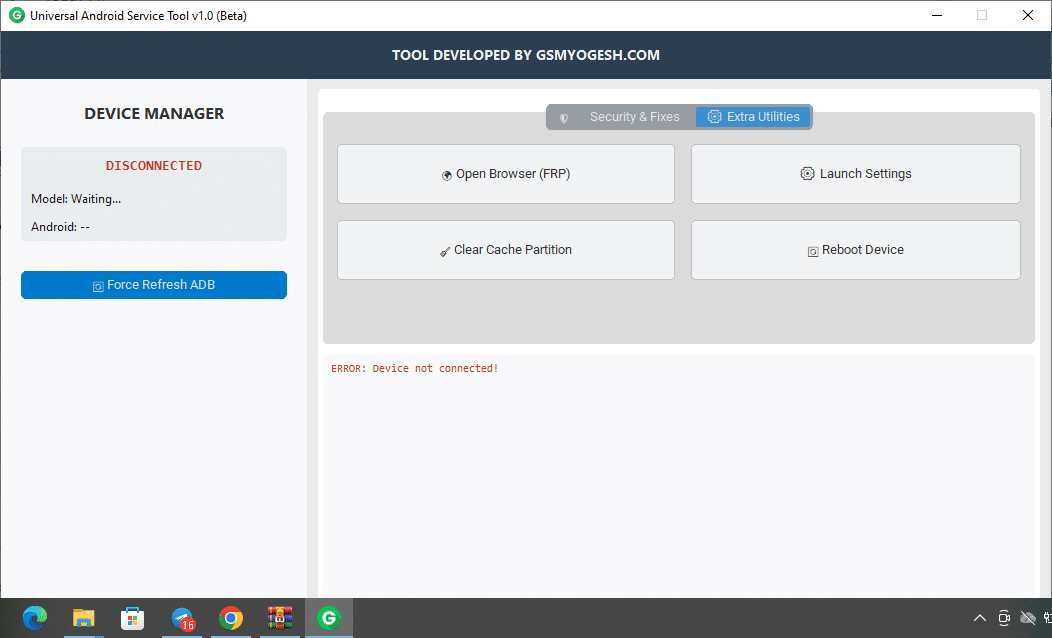
Access the free version of the universal android service tool to optimize and troubleshoot your android device.
- Open Browser (frp)
- Launch Settings
- Clear Cache Partition
- Reboot Device
- Force Refresh Adb
How To Use It ?
- First Of All You Must Get The Zip File By Clicking The Following Link
- After That You Need To Unzip All Files In C: Drive (important)
- Make Sure You’ve Turned Off The Antivirus To Running The Installation
- Then To Open The Folder Download The Installation File Following Some Basic Instructions
- Run The “b-m-b Kg Unlock Mtk Tool“
- The Will Open On Your Pc Screen.
- Enjoy!
Final Thoughts
The Universal Android Service Tool Brings Together Everything A Technician Needs In One Reliable Package. From Security Fixes To Frp Utilities And System Optimization Tools It Delivers Real Solutions That Make Repair Work Faster And Easier. Its Support For Modern Android Versions And Complex Chipsets Sets It Apart From Many Older Utilities.
Whether You Fix Smartphones Professionally Or Want Better Control Over Your Own Device This Tool Gives You The Power To Solve Issues That Were Once Frustrating Or Time-consuming. With Regular Updates And A Smooth Interface It’s A Dependable Companion For Any Android Expert.
How To Download ?
- Visit The Gsm Crack Tool Website Of The Tool.
- Find The Download Page And Don’t Click Button And Click Only The (download Link)
- Once The Download Is Complete Locate The Downloaded File On Your Device.
- Tap On The File To Begin The Installation Process.
- Follow The On-screen Instructions To Complete The Installation.prime.
Universal Android Service Tool