


Whether You’re A Beginner Or A Mobile Technician Rc Dark Tool Gives You Access To Powerful Adb Fastboot And Utility Features In One Place. From Rebooting Devices To Unlocking Bootloaders It Covers Almost Everything You Need For Android Troubleshooting.
Rc Dark Tool V1.2.3 Latest Version Free Download
Rc Dark Tool V1.2.3 Is The Latest Release Packed With Updated Features And Improved Performance. It Offers Better Compatibility With Modern Android Versions And Enhances Stability During Operations Like Frp Unlock Or App Management.
You Can Use This Version To Manage Samsung And Xiaomi Devices Easily. It Also Includes Upgraded Options Like Magisk Integration Advanced Reboot Modes And A Smoother Download Process With A Progress Indicator.
What Is The Rc Dark Tool?
Rc Dark Tool Is An All-in-one Android Utility Software That Helps Users Control And Repair Smartphones Using Adb And Fastboot Modes. It Allows You To Perform Actions Like Reading Device Info Rebooting Into Recovery Or Installing Apk Files Directly From Your Pc.
In Simple Terms It Acts Like A Control Center For Your Android Device. Instead Of Typing Commands Manually You Just Click Buttons Like “reiniciar Recovery” Or “instalar App” And The Tool Handles The Rest.
Feature Rc Dark Tool V1.2.3
Adb Tab
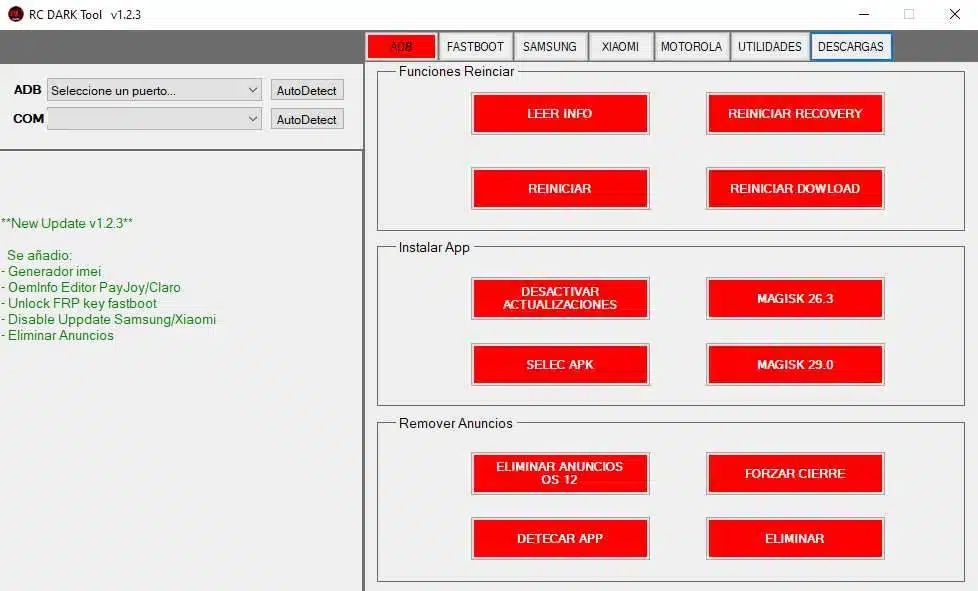
Funciones
- Leer Info
- Reiniciar Recovery
- Reiniciar
- Reiniciar Download
Instalar App
- Desactivar Actualizaciones
- Magisk 26.3
- Selec APK
- Magisk 29.0
Remover Anuncios
- Eliminar Anuncios OS 12
- Forzar Cierre
- Detectar App
- Eliminar
Fastboot
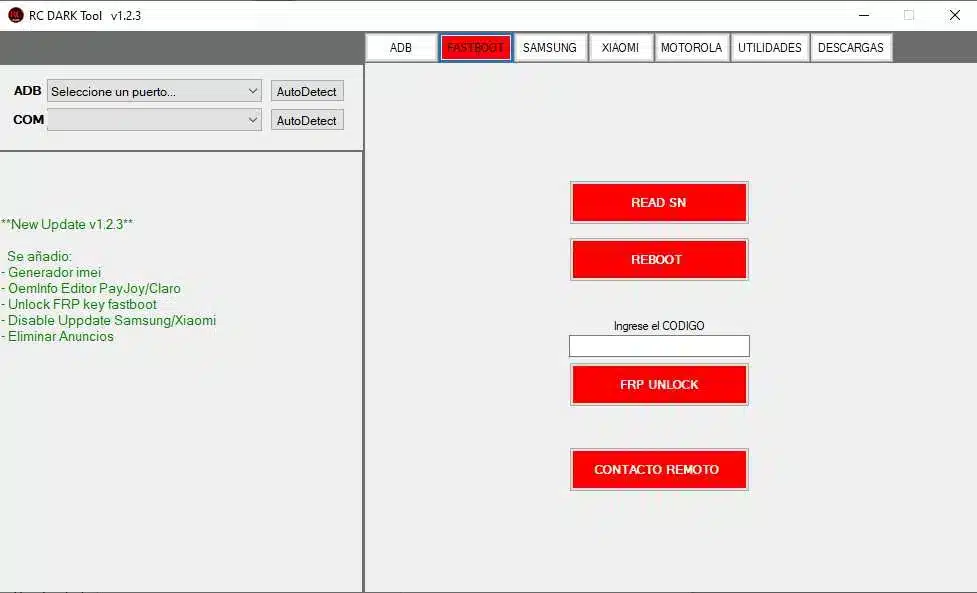
- Read SN
- Reboot
- Enter Code (Ingrese el Código)
- FRP Unlock
- Contacto Remoto
Samsung
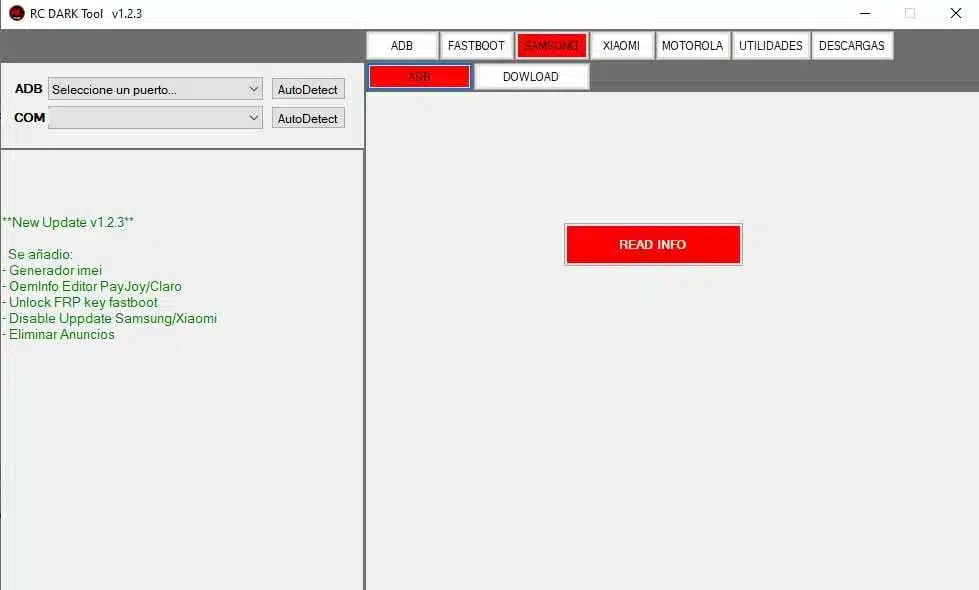
- Adb
- Download
- Read Info
Xiaomi Tab
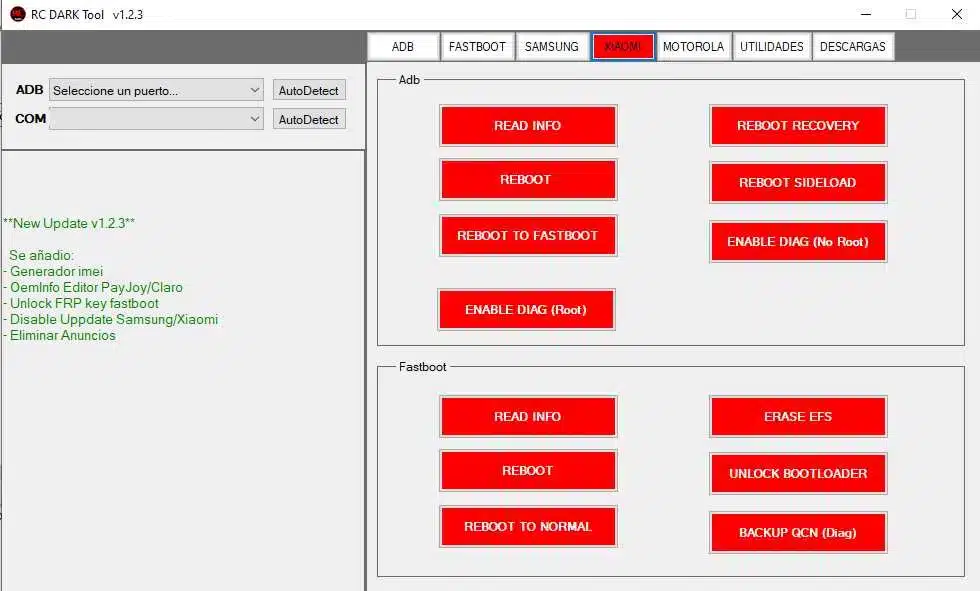
Adb Section
- Read Info
- Reboot
- Reboot To Fastboot
- Enable Diag (root)
- Reboot To Recovery
- Reboot To Sideload
- Enable Diag (no Root)
Fastboot Section
- Read Info
- Reboot
- Reboot To Normal
- Erase Efs
- Unlock Bootloader
- Backup Qcn (diag)
Utilities Tab
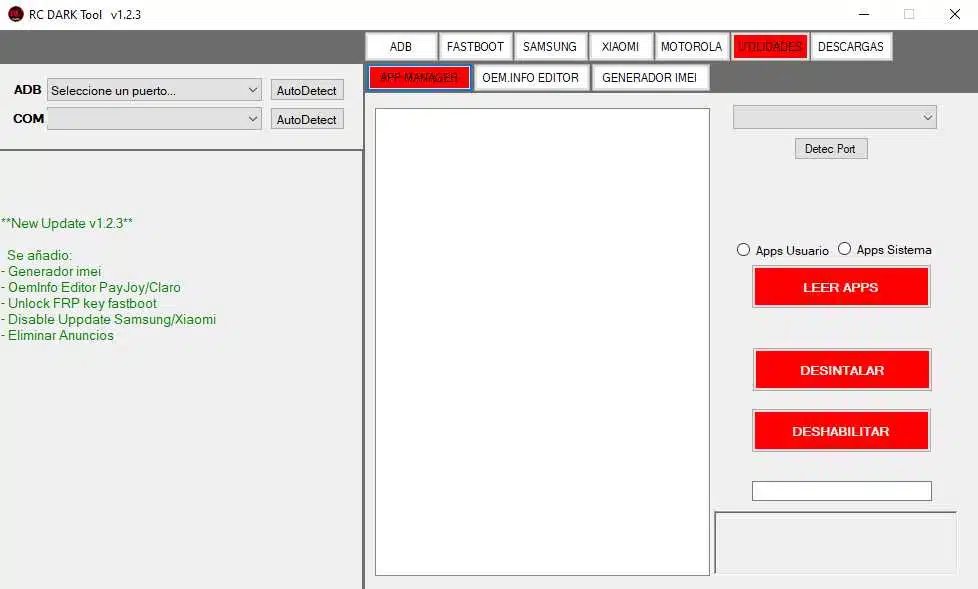
App Manager
- App Scope Selection
- User Apps
- System Apps
Functional Buttons
- Detect Port
- Read Apps
- Uninstall App
- Disable App
Oem Info Editor
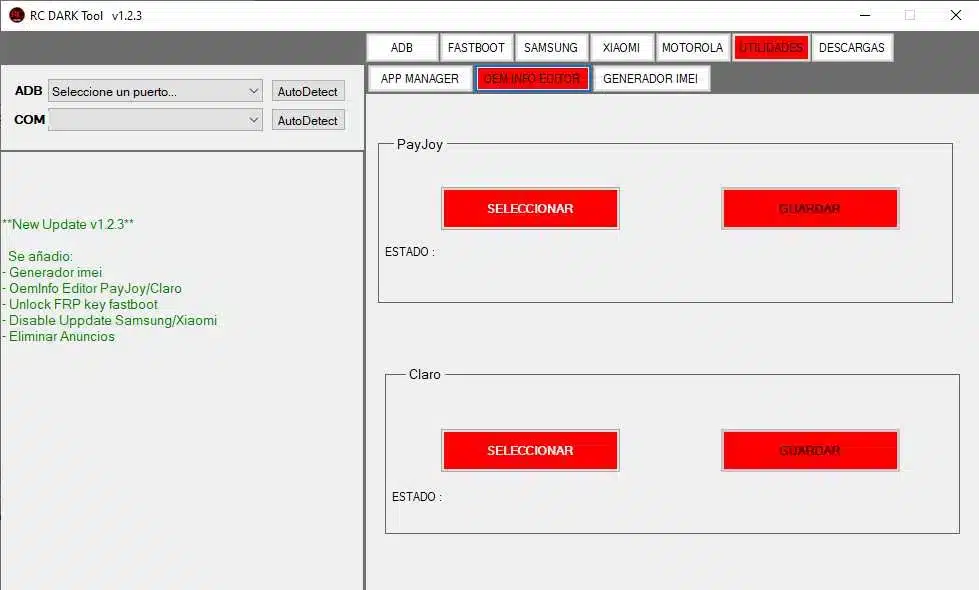
Payjoy Section
- Select
- Save
- Status
Claro Section
- Select
- Save
- Status
Imei Generator
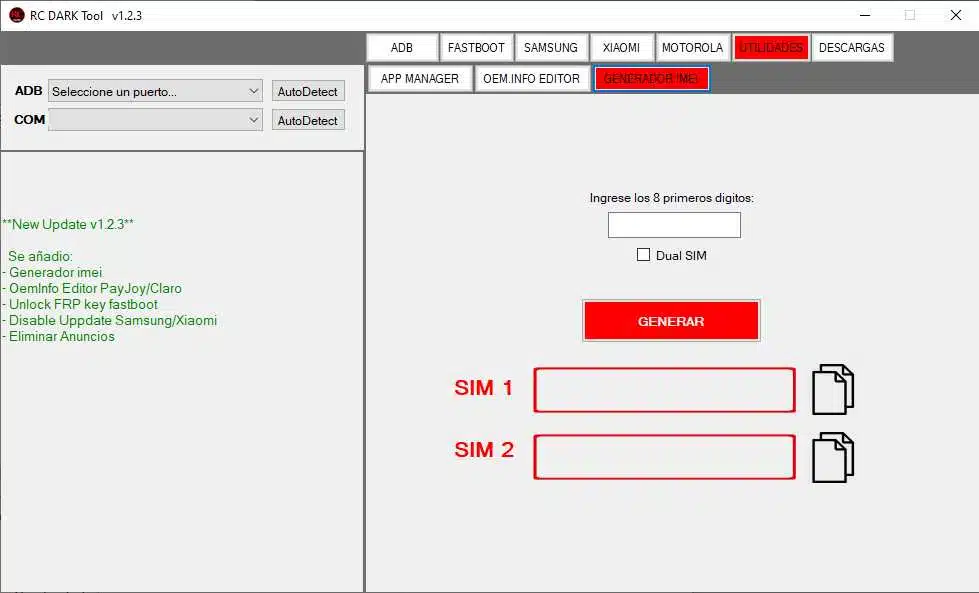
Input & Options
- Enter The First 8 Digits
- Dual Sim (checkbox)
Action Button
- Generate
- Output Fields
- Sim 1
- Sim 2
Download
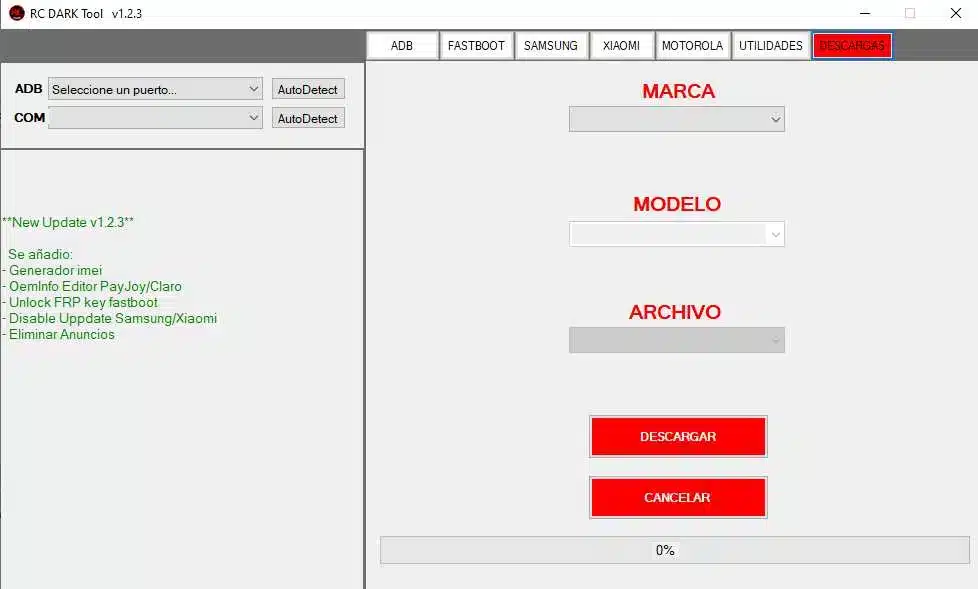
Dropdown Selectors
- Brand
- Model
- File
Action Buttons
- Download
- Cancel
- Progress Indicator
- Download Progress Bar (0% To 100%)
How To Use It ?
- First Of All, You Must Get The Zip File By Clicking The Following Link
- After That, You Need To Unzip All Files In C: Drive (important)
- Make Sure You’ve Turned Off The Antivirus To Running The Installation
- Then, To Open The Folder, Download The Installation File Following Some Basic InstructionsKleister and PDT Platform Detector Tool
- Run The “RC DARK Tool“
- The Will Open On Your Pc Screen.
Enjoy!
Final Thoughts
Rc Dark Tool Is A Practical Solution For Anyone Dealing With Android Troubleshooting Or Device Management. It Simplifies Complex Tasks And Gives You Full Control Without Overwhelming You.
In Today’s Fast-paced Tech World Having A Tool Like This Can Make Your Work Much Easier. Whether You’re Fixing Devices Or Just Exploring Advanced Features Rc Dark Tool Delivers Solid Performance Every Time.
How To Download ?
- Visit The Gsm Crack Tool Website Of The Tool.
- Find The Download Page And Don’t Click Button And Click Only The (Download Link)
- Once The Download Is Complete, Locate The Downloaded File On Your Device.
- Tap On The File To Begin The Installation Process.
- Follow The On-screen Instructions To Complete The Installation.Prime.
RC DARK Tool


