


Whether You’re A Beginner Or A Mobile Technician This Tool Gives You Powerful Control Over Unlocking Flashing And Repairing Devices. From Removing Frp Locks To Fixing Software Errors It’s Designed To Save Time And Effort While Delivering Real Results.
Pegasus Tool V3.2 Latest Version Free Download
Pegasus Tool V3.2 Is One Of The Latest All-in-one Mobile Servicing Tools Available Right Now. It Combines Multiple Features Like Simlock Handling Direct Unlock Frp Bypass And Firmware Flashing Into A Single Dashboard. Instead Of Juggling Multiple Tools You Get Everything In One Place.
The Latest Version Improves Performance And Adds Better Support For Samsung Xiaomi Huawei And Other Android Devices. It Also Introduces Smoother Operations In Adb Mode Fastboot Mode And Edl Mode Making It More Reliable For Advanced Repairs.
What Is The Pegasus Tool
Pegasus Tool Is A Professional Mobile Repair Software Used To Unlock Flash And Fix Android Smartphones. It Helps You Perform Tasks Like Remove Frp Lock Remove Samsung Account Repair Boot And Even Convert Csc For Samsung Or Lg Devices.
Think Of It As A Digital Repair Box Without Hardware. You Connect Your Device To A Pc Select The Function And Let The Tool Handle The Rest. From Factory Reset (safe) To Advanced Options Like Write Certificate Or Restore Security It Covers Almost Every Repair Scenario.
Feature Pegasus Tool
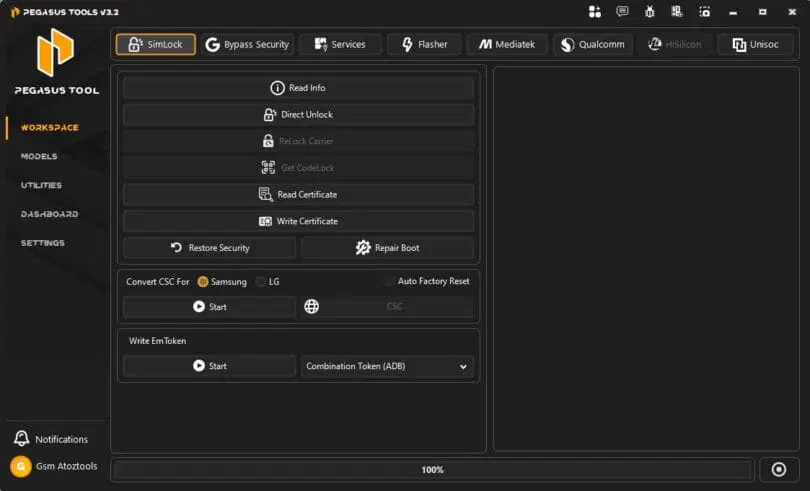
Simlock
- Read Info
- Direct Unlock
- Relock Carrier
- Get Codelock
- Read Certificate
- Write Certificate
- Restore Security
- Repair Boot
- Convert CSC for Samsung
- Convert CSC for LG
- Auto Factory Reset (CSC)
- Write EmToken
- Combination Token (ADB)

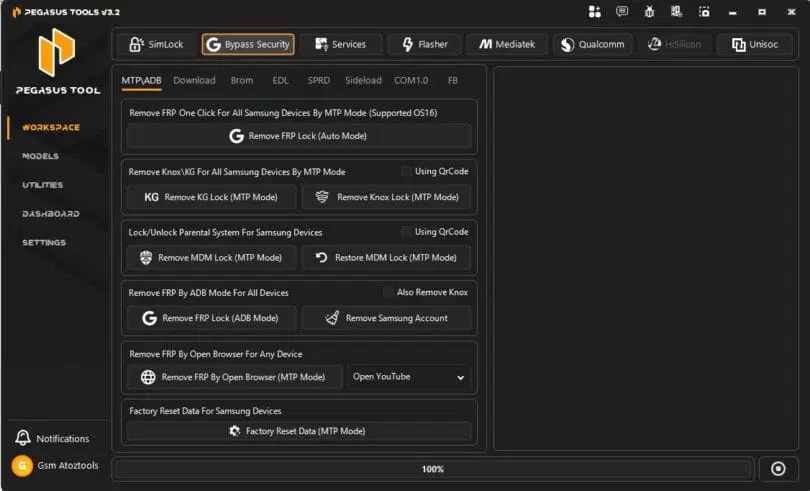
Bypass Security
- Remove FRP One Click for Samsung Devices (MTP Mode)
- Remove FRP Lock (Auto Mode)
- Remove KG Lock (MTP Mode)
- Remove Knox Lock (MTP Mode)
- Remove MDM Lock (MTP Mode)
- Restore MDM Lock (MTP Mode)
- Remove FRP Lock (ADB Mode)
- Remove Samsung Account
- Remove FRP by Open Browser (MTP Mode)
- Open YouTube (FRP Bypass Method)
- Factory Reset Data (MTP Mode)

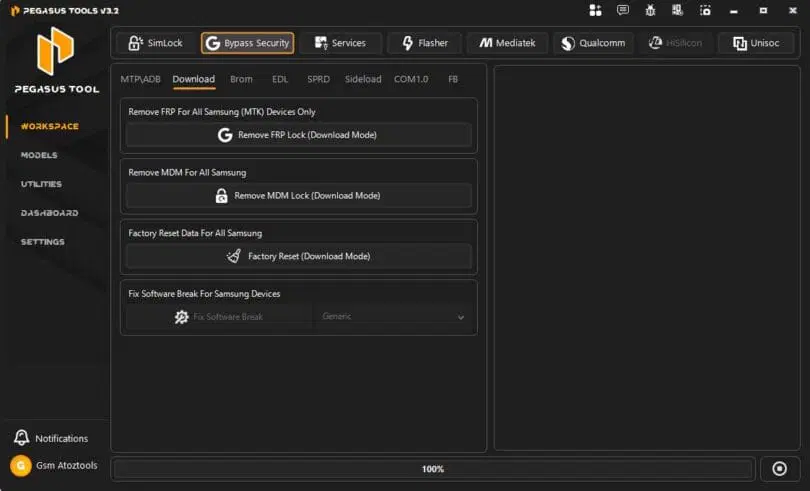
Download
- Remove FRP (Samsung MTK devices)
- Remove FRP Lock (Download Mode)
- Remove MDM Lock (Download Mode)
- Factory Reset (Download Mode)
- Fix Software Break (Samsung)
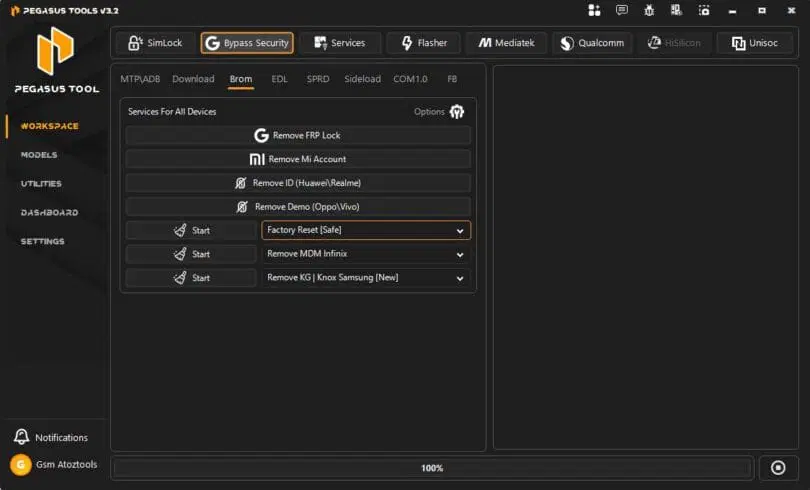
Brom
- Remove FRP Lock
- Remove Mi Account
- Remove ID (Huawei/Realme)
- Remove Demo (Oppo/Vivo)
- Factory Reset (Safe)
- Remove MDM Infinix
- Remove KG / Knox Samsung (New)

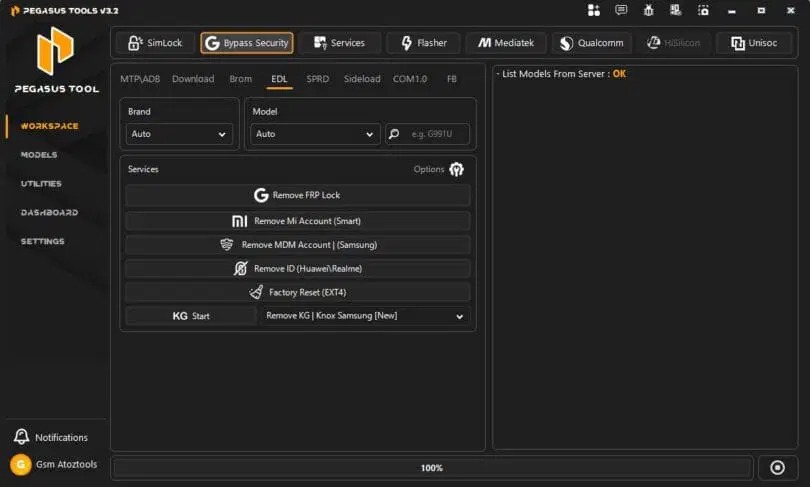
EDL
- Remove FRP Lock
- Remove Mi Account (Smart)
- Remove MDM Account (Samsung)
- Remove ID (Huawei / Realme)
- Factory Reset (EXT4)
- Remove KG Lock (Samsung New)
- KG Start Option

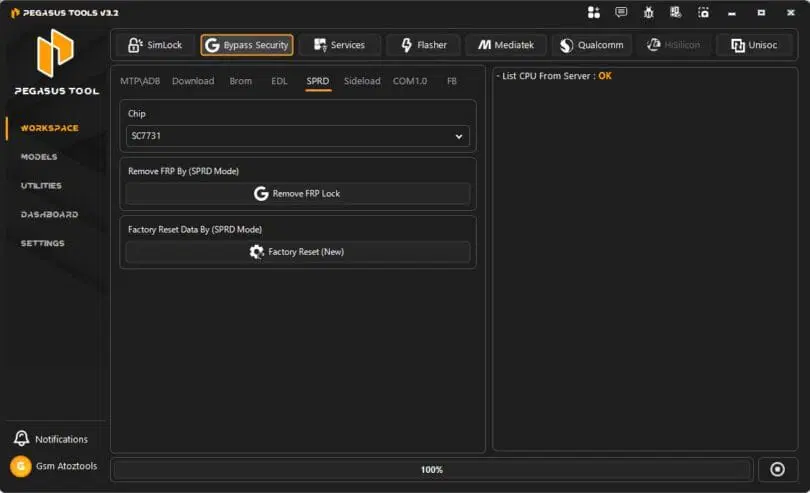
SPRD
- Select Chip (e.g., SC7731)
- Remove FRP Lock (SPRD Mode)
- Factory Reset (New – SPRD Mode)
- Reset User Data via SPRD
- Direct FRP Remove Option
- CPU List from Server (Status: OK)
- Simple One-Click Operations
- Unisoc (SPRD) Device Support

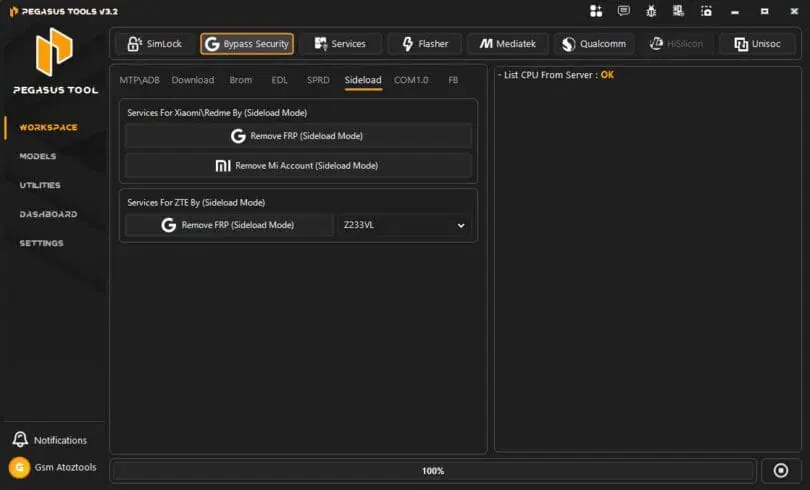
Sideload
- Remove FRP (Sideload Mode)
- Remove Mi Account (Sideload Mode)
- Xiaomi Redmi Sideload Support
- ZTE Device Support (Sideload Mode)
- Select Model (e.g., Z233VL)
- One-Click FRP Removal
- Secure Bypass via Sideload
- CPU List from Server (Status: OK)
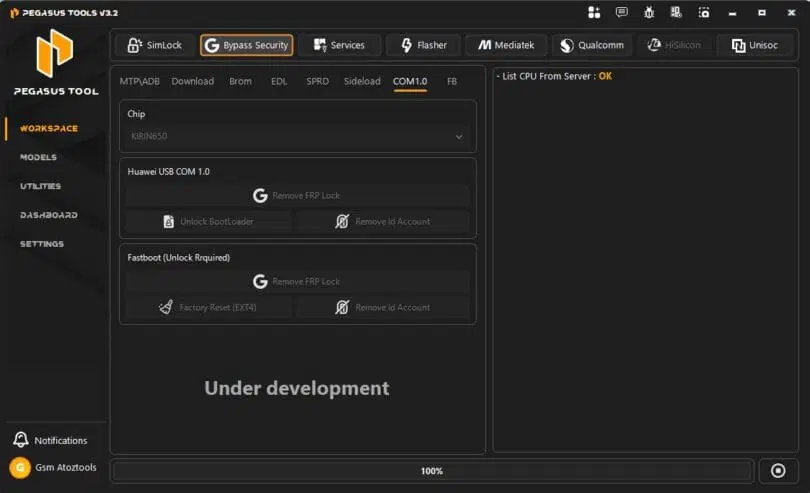
Com 1.0
- Huawei Usb Com 1.0
- Remove Frp Lock
- Unlock Bootloader
- Remove Id Account
- Fastboot (unlock Required)
- Remove Frp Lock
- Factory Reset (ext4)
- Remove Id Account

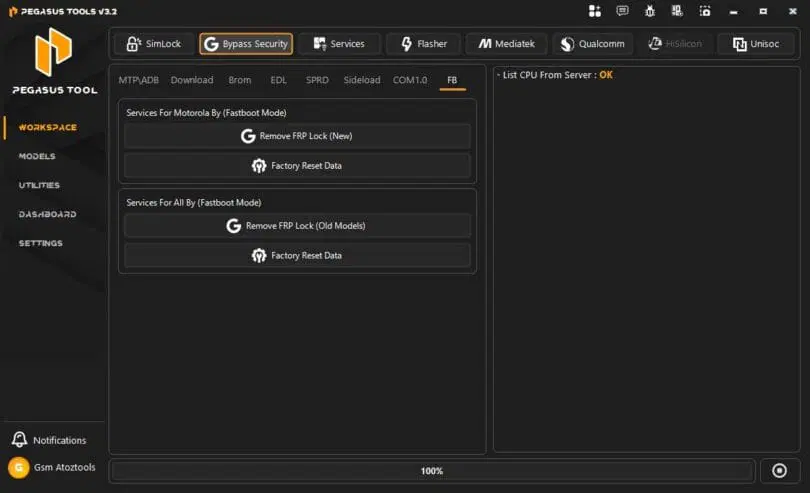
FB
- Services For Motorola By (fastboot Mode)
- Remove Frp Lock (new)
- Factory Reset Data
- Services For All By (fastboot Mode)
- Remove Frp Lock (old Models)
- Factory Reset Data

Services
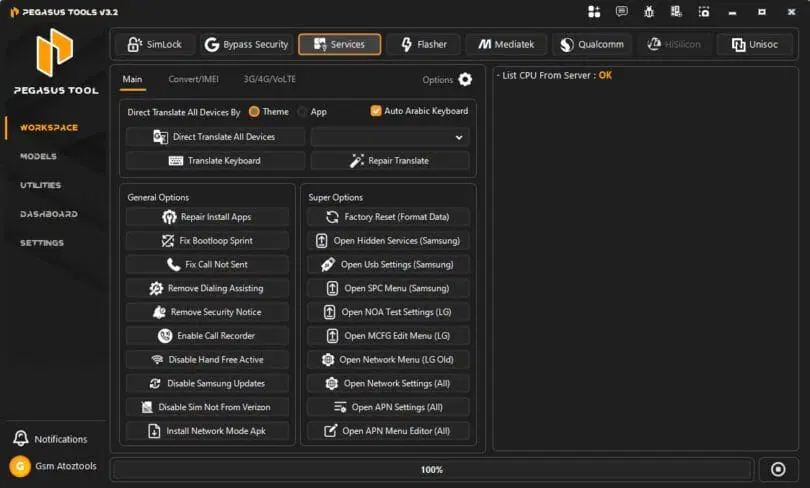
Main
- Direct translate all devices
- Translate keyboard
- Repair translate
- Auto Arabic keyboard
- Repair install apps
- Fix bootloop
- Fix call not sent
- Remove dialing assistant
- Remove security notice
- Enable call recorder
- Disable hands-free active
- Disable Samsung updater
- Disable SIM not from Verizon
- Install network mode APK
- Factory reset (format data)
- Open hidden services (Samsung)
- Open USB settings (Samsung)
- Open SPC menu (Samsung)
- Open QA test settings (LG)
- Open MCFG edit menu (LG)
- Open network menu (LG old)
- Open network settings
- Open APN settings
- Open APN menu editor

Convert / IMEI
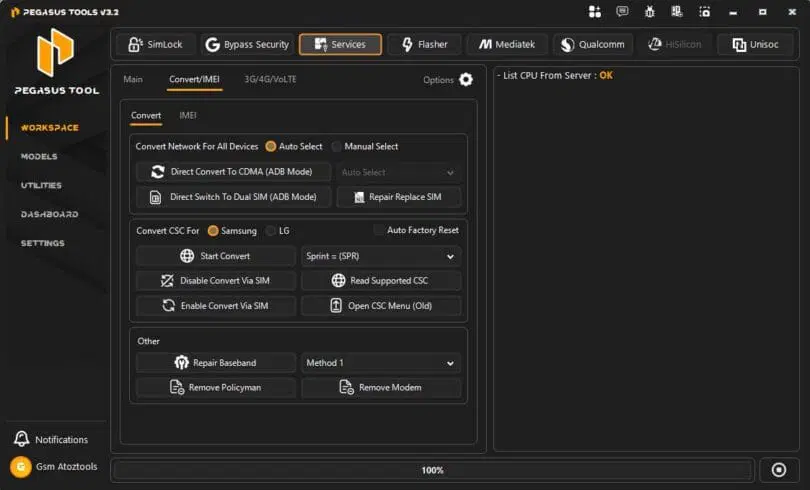
Convert
- Convert network for all devices
- Direct convert to CDMA (ADB mode)
- Direct switch to dual SIM (ADB mode)
- Repair / replace SIM
- Convert CSC (Samsung / LG)
- Start convert (carrier change jaise Sprint)
- Read supported CSC
- Open CSC menu (old)
- Disable convert via SIM
- Enable convert via SIM
- Repair baseband
- Remove Policyman
- Remove modem
3G/4G/VoLTE
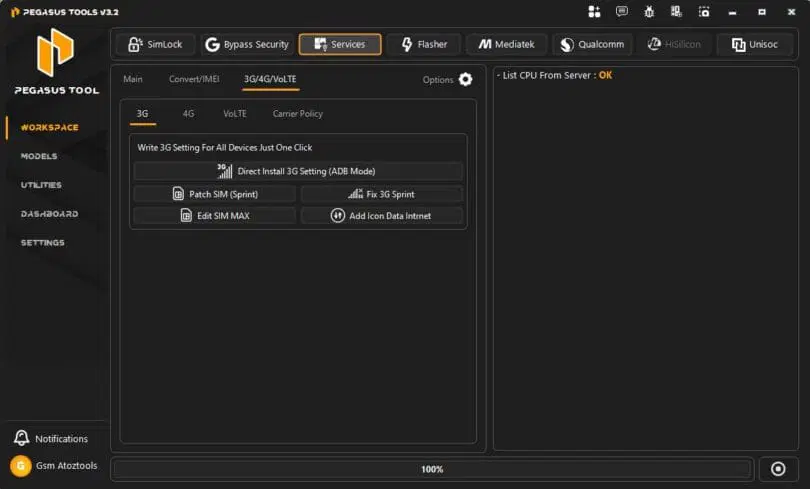
3G
- Write 3G Setting For All Devices Just One Click
- Direct Install 3G Setting (ADB Mode)
- Patch SIM (Sprint)
- Fix 3G Sprint
- Edit SIM MAX
- Add Icon Data Internet
- 3G / 4G / VoLTE / Carrier Policy Tabs
- List CPU From Server (Status: OK)

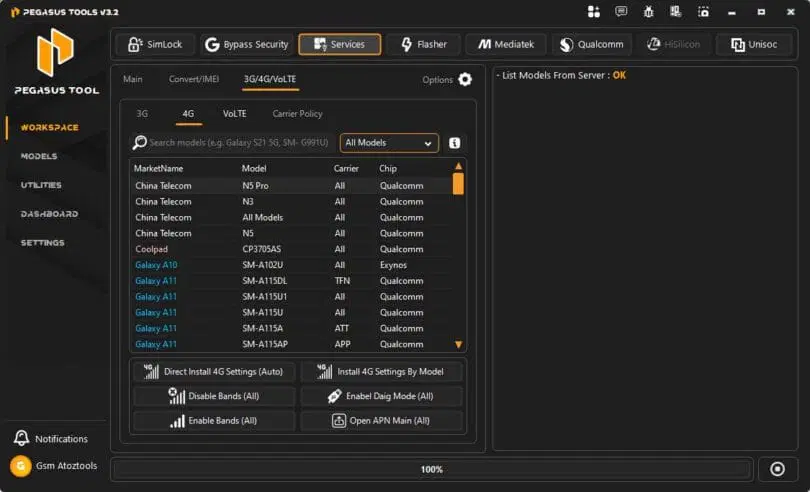
4G
- Search Models
- All Models Dropdown
- Market Name / Model / Carrier / Chip Info Display
- List Models From Server (OK)
- Direct Install 4G Settings (Auto)
- Install 4G Settings By Model
- Disable Bands (All)
- Enable Bands (All)
- Enable Diag Mode (All)
- Open APN Main (All)

VoLTE
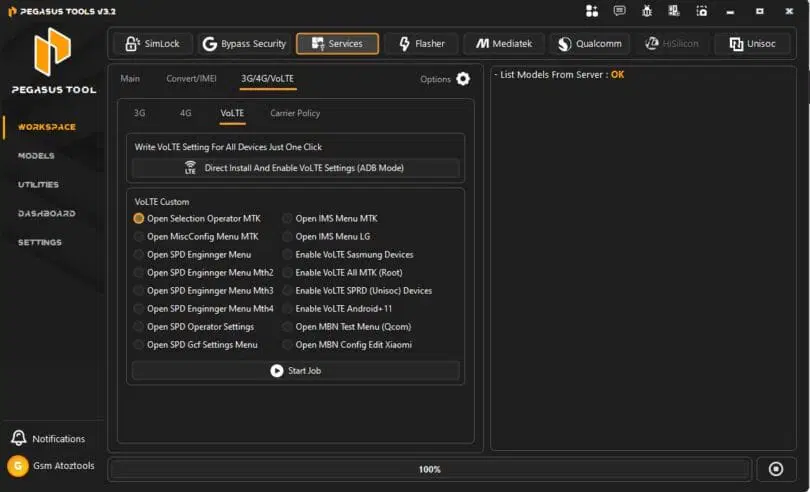
- Write VoLTE Setting For All Devices Just One Click
- Direct Install And Enable VoLTE Settings (ADB Mode)
- Open Selection Operator MTK
- Open MiscConfig Menu MTK
- Open SPD Engineer Mode
- Open SPD Engineer Menu Mth2
- Open SPD Engineer Menu Mth3
- Open SPD Engineer Menu Mth4
- Open SPD Operator Settings
- Open SPD Gcf Settings Menu
- Open IMS Menu MTK
- Open IMS Menu LG
- Enable VoLTE Samsung Devices
- Enable VoLTE All MTK (Root)
- Enable VoLTE SPRD (Unisoc) Devices
- Enable VoLTE Android 11
- Open MBN Test Menu (Qcom)
- Open MBN Config Edit Xiaomi
- Start Job
Flasher
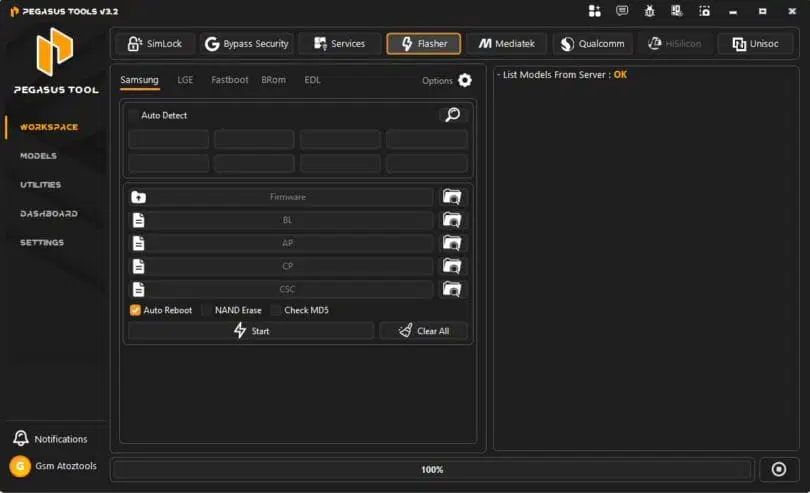
Samsung
- Firmware Load Option
- BL File Selection
- AP File Selection
- CP File Selection
- CSC File Selection
- Auto Reboot Option
- NAND Erase Option
- Check MD5 Verification
- Start Flashing
- Clear All Files

LGE
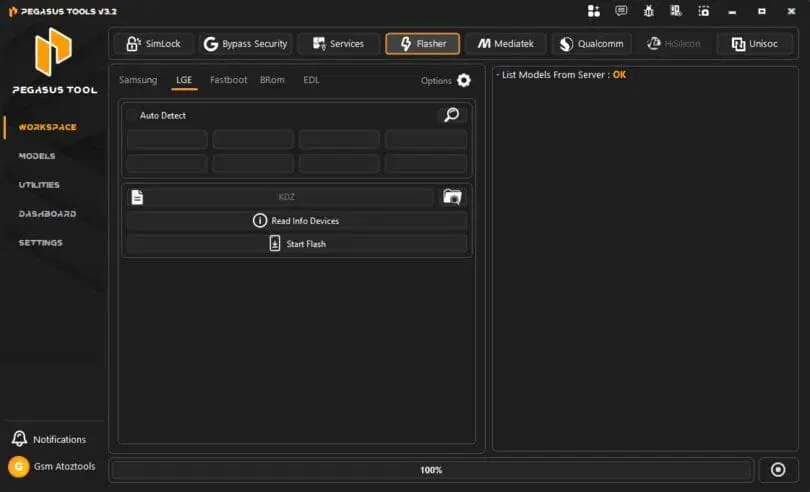
- Read Info Devices
- Start Flash
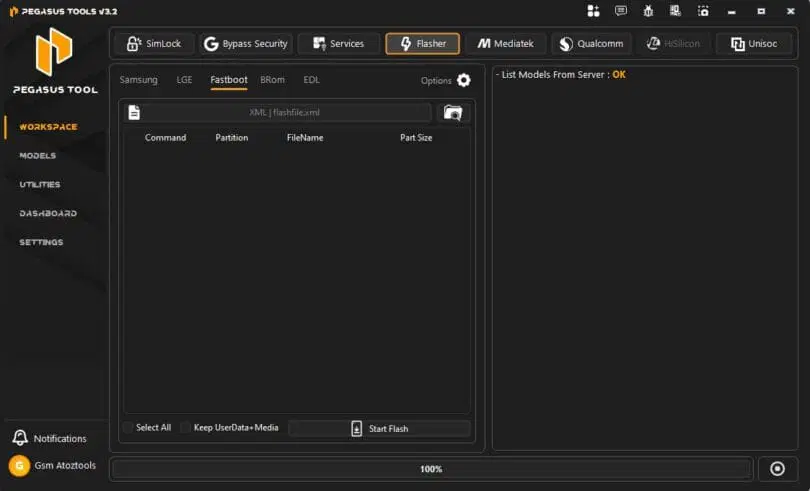
- Workspace
- Models
- Utilities
- Dashboard
- Settings

Fastboot
- Command
- Partition
- FileName
- Part Size
- Select All
- Keep UserData + Media

How To Use It ?
- First Of All, You Must Get The Zip File By Clicking The Following Link
- After That, You Need To Unzip All Files In C: Drive (important)
- Make Sure You’ve Turned Off The Antivirus To Running The Installation
- Then, To Open The Folder, Download The Installation File Following Some Basic InstructionsKleister and PDT Platform Detector Tool
- Run The “Pegasus Tool“
- The Will Open On Your Pc Screen.
Enjoy!
Final Thought
Pegasus Tool V3.2 Is A Powerful And Flexible Solution For Mobile Repair Tasks. Whether You Want To Remove Frp Locks Unlock Networks Or Flash Firmware It Provides Everything In One Place. It’s Fast Efficient And Designed For Both Beginners And Professionals.
If You Often Deal With Locked Or Malfunctioning Devices This Tool Can Save You Hours Of Work. With Its Wide Feature Set And Simple Interface Pegasus Tool Stands Out As A Reliable Choice In The Mobile Repair World.
How To Download ?
- Visit The Gsm Crack Tool Website Of The Tool.
- Find The Download Page And Don’t Click Button And Click Only The (Download Link)
- Once The Download Is Complete, Locate The Downloaded File On Your Device.
- Tap On The File To Begin The Installation Process.
- Follow The On-screen Instructions To Complete The Installation.Prime.
Pegasus Tool


