


Instead Of Relying On Unsafe Methods There Are Secure And Official Ways To Recover Your Device. In This Guide You’ll Learn What Ipro Samfrp Os 16 Is Why People Search For It And The Safest Alternatives To Regain Access Without Risking Your Data Or Device.
Ipro Samfrp Os 16 Latest Version Free Download
Many Websites Claim To Offer The Latest Version Of This Tool Often Highlighting Options Like Device Refresh Adb Enablement And Frp Erase Modes. These Features May Sound Useful If You’re Locked Out But They Usually Bypass Built-in Security Protections Designed To Keep Your Data Safe.
Before Downloading Anything Take A Moment To Consider The Risks. Unverified Tools Can Contain Malware Damage Your Phone Or Even Permanently Lock Your Device. It’s Always Smarter To Explore Official Recovery Options First.
Key Features Overview
The Commonly Advertised Features Ipro Samfrp Os 16: Refresh Device Enable Adb Frp Erase M1 Frp Erase M2 Are Designed To Interact With System-level Settings. However These Actions Often Bypass Standard Authentication Processes Which Can Violate Security Policies.
System Requirements
These Tools Usually Claim Compatibility With Windows Pcs And Android Devices. However Requirements Vary Widely And Unofficial Versions May Not Work As Expected Or Could Cause System Errors.
What Is The Ipro Samfrp Os 16?
Ipro Samfrp Os 16 Is Often Described As A Utility For Managing Android Device Locks Particularly Factory Reset Protection (frp). Frp Is A Built-in Feature That Protects Your Phone After A Reset By Requiring The Original Google Account.
While Tools Like This Claim To Remove Frp They Are Not Officially Supported. Using Them Can Expose Your Device To Security Threats Or Lead To Data Loss.
How It Works
Such Tools Typically Attempt To Access Hidden System Functions Or Debugging Modes. For Example Enabling Adb Or Modifying System Partitions Allows Deeper Access But This Isn’t Recommended Unless Done Through Official Channels.
Supported Devices
Most Unofficial Tools Claim Broad Compatibility Across Android Brands. In Reality Support Is Inconsistent And Newer Devices Often Block These Methods Entirely.
Features Ipro SamFrp Os 16:
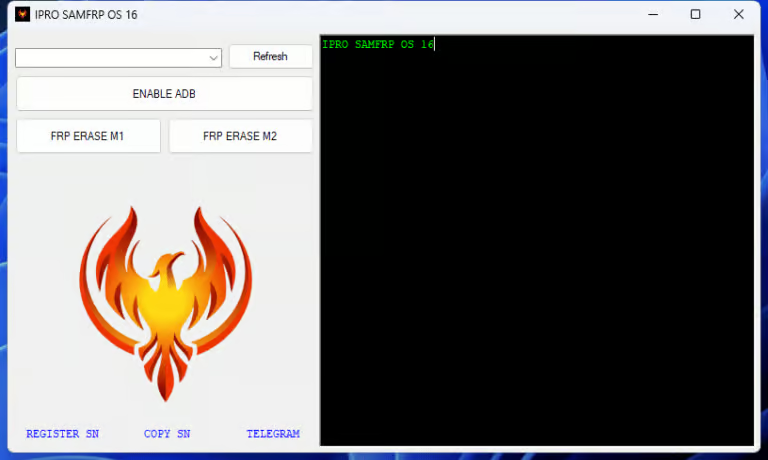
- Refresh Device
- Enable ADB
- FRP Erase M1
- FRP Erase M2
How To Use It ?
- First Of All, You Must Get The Zip File By Clicking The Following Link
- After That, You Need To Unzip All Files In C: Drive (important)
- Make Sure You’ve Turned Off The Antivirus To Running The Installation
- Then, To Open The Folder, Download The Installation File Following Some Basic InstructionsKleister and PDT Platform Detector Tool
- Run The “Ipro SamFrp Os 16“
- The Will Open On Your Pc Screen.
Enjoy!
Final Thoughts
Getting Locked Out Of Your Phone Is Never Fun But Rushing Into Risky Solutions Can Make Things Worse. While Tools Like Ipro Samfrp Os 16 May Seem Tempting They Often Come With Hidden Dangers.
In Most Cases Sticking To Official Recovery Methods Is The Smartest Move. It Protects Your Data Keeps Your Device Secure And Ensures You Regain Access Without Complications.
How To Download ?
- Visit The Gsm Crack Tool Website Of The Tool.
- Find The Download Page And Don’t Click Button And Click Only The (Download Link)
- Once The Download Is Complete, Locate The Downloaded File On Your Device.
- Tap On The File To Begin The Installation Process.
- Follow The On-screen Instructions To Complete The Installation.Prime.
Ipro SamFrp Os 16
Download here:


