


Whether You Want To Remove Frp Flash Firmware Or Work In Fastboot Or Edl Mode This Tool Gives You Everything In One Place. It’s Designed For Both Beginners And Advanced Users Who Need A Powerful Yet Easy Solution.
Ghost Auth Tool V1.0.0 Latest Version Free Download
Ghost Auth Tool V1.0.0 Is A Powerful Utility Built For Android Technicians And Enthusiasts. It Helps You Perform Advanced Operations Like Write Flash Read Flash And Partition Flash Without Complicated Steps. You Can Also Use Features Like Device Detect (usb/com) Model Select And Firmware Select (file Path) To Streamline Your Workflow.
The Latest Version Improves Stability And Adds Better Support For Fastboot Mode And Edl Operations. With Features Like Auto Reboot And A Clean Status / Log Panel You Always Know What’s Happening During The Process. It’s A Complete Package For Flashing And Unlocking Tasks.
What Is The Ghost Auth Tool?
Ghost Auth Tool Is A Professional Android Flashing And Unlocking Software. It Allows You To Connect Your Device Via Com Port / Auto Detect And Perform Various System-level Operations. From Firmware Flashing To Frp Removal It Covers Almost Everything You Need.
In Simple Terms It’s Like A Toolbox For Your Android Device. Instead Of Using Multiple Tools You Get Everything In One Interface. Whether You’re Fixing A Bootloop Or Unlocking A Device The Ghost Auth Tool Makes The Job Faster And Safer.
Feature Ghost Auth Tool
Write Flash
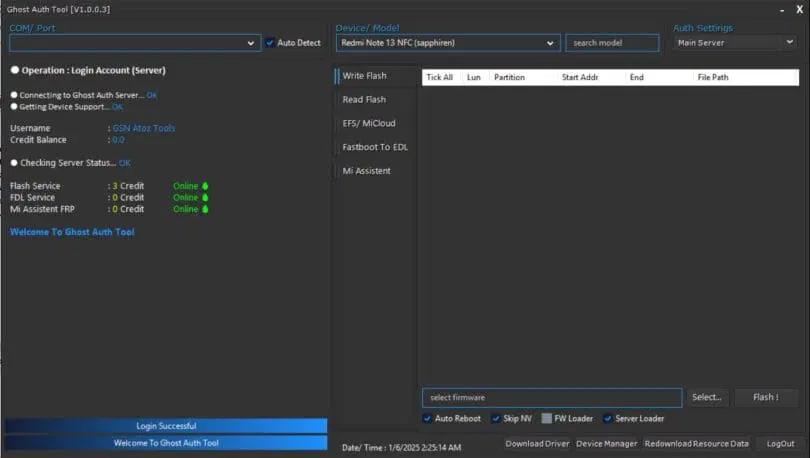
- Device detect (USB/COM)
- Model select
- Firmware select (file path)
- Write/Flash button
- Fastboot support
- (Optional) EDL support
- Auto reboot
- Status / log panel
Read Flash
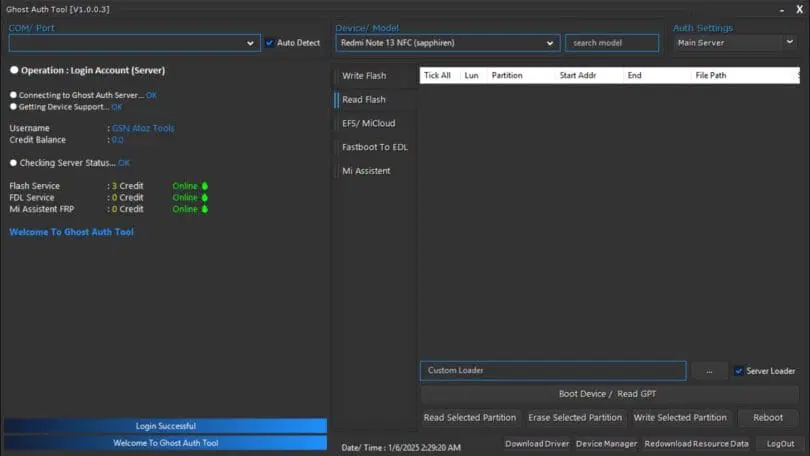
- COM Port / Auto Detect
- Device / Model Select
- Server Login
- Credit / Status Check
- Write Flash
- Read Flash
- Partition Flash
- EDL / Fastboot Mode
- Firmware Select
- Custom / Server Loader
- Read / Erase / Write Partition
- Reboot
- Auto Reboot
- Log / Status Panel
EFS / MiCloud
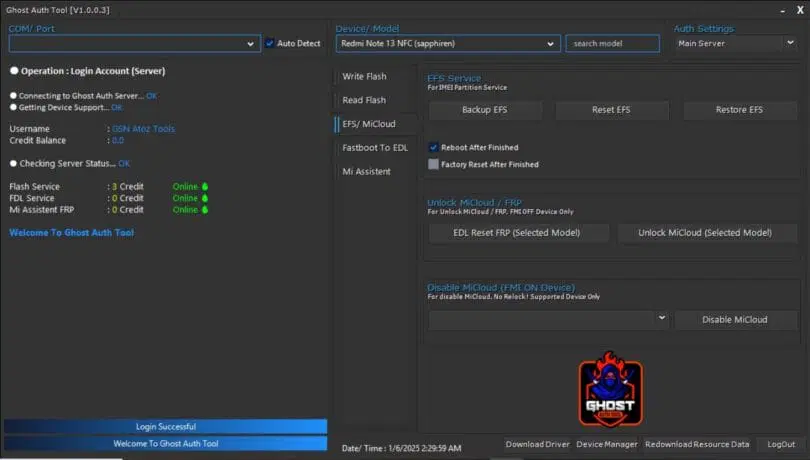
- Device Detect (COM / Auto)
- Model Select
- Firmware Select
- Write Flash
- Fastboot Mode
- Reboot
- Status / Log Panel
Fastboot
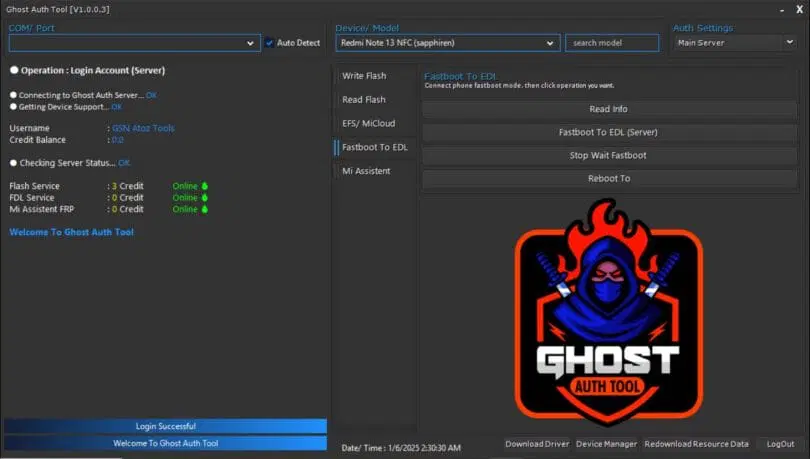
- Fastboot to EDL (Server-Based)
- Read Info
- Stop Fastboot
- Reboot to System
Mi Assistant
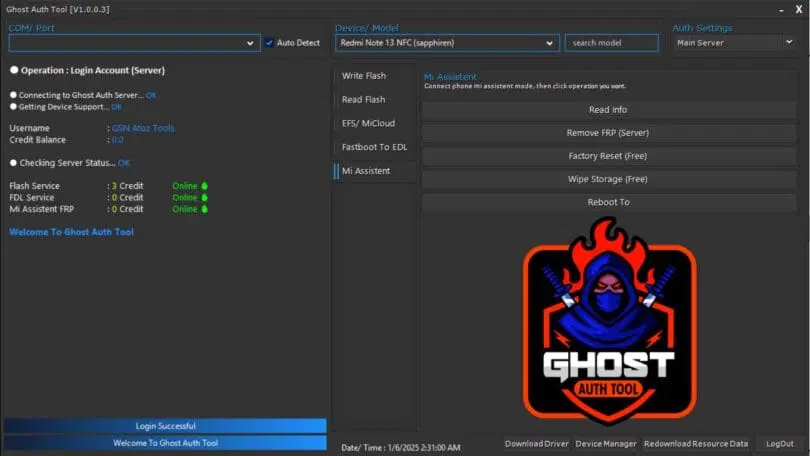
- Read Info
- Remove FRP (Server)
- Factory Reset (Free)
- Wipe Storage (Free)
- Reboot Device
How To Use It ?
- First Of All, You Must Get The Zip File By Clicking The Following Link
- After That, You Need To Unzip All Files In C: Drive (important)
- Make Sure You’ve Turned Off The Antivirus To Running The Installation
- Then, To Open The Folder, Download The Installation File Following Some Basic InstructionsKleister and PDT Platform Detector Tool
- Run The “Ghost Auth Tool“
- The Will Open On Your Pc Screen.
Enjoy!
Conclusion
Ghost Auth Tool Is A Reliable And Powerful Solution For Android Flashing And Unlocking Tasks. It Combines Multiple Advanced Features Into One Simple Interface Making It Ideal For Both Beginners And Professionals.
If You Often Deal With Firmware Issues Frp Locks Or System Errors This Tool Can Save You A Lot Of Time And Effort. It’s Fast Efficient And Packed With Useful Features.
How To Download ?
- Visit The Gsm Crack Tool Website Of The Tool.
- Find The Download Page And Don’t Click Button And Click Only The (Download Link)
- Once The Download Is Complete, Locate The Downloaded File On Your Device.
- Tap On The File To Begin The Installation Process.
- Follow The On-screen Instructions To Complete The Installation.Prime.
Ghost Auth Tool
Download here:


