Easily flash android firmware and fix fastboot errors with the fastboot flash tool latest version
Flashing Your Android Device Firmware Can Be Frustrating Especially When Traditional Methods Fail Or You Encounter Unexpected Errors. Whether It’s A Stubborn Frp Lock Fastboot Errors Or A Device That Refuses To Boot Finding A Reliable Tool Is Crucial. That’s Where The Fastboot Flash Tool Comes In. Designed For Both Beginners And Professionals It Simplifies Flashing Troubleshooting And Managing Fastboot Commands Efficiently.
This Article Will Guide You Through Everything You Need To Know About The Fastboot Flash Tool — From Its Key Features To How To Download And Use It Safely. You’ll Also Learn How To Handle Common Errors And Unlock Advanced Functionalities Making Your Device Management Seamless And Hassle-free.
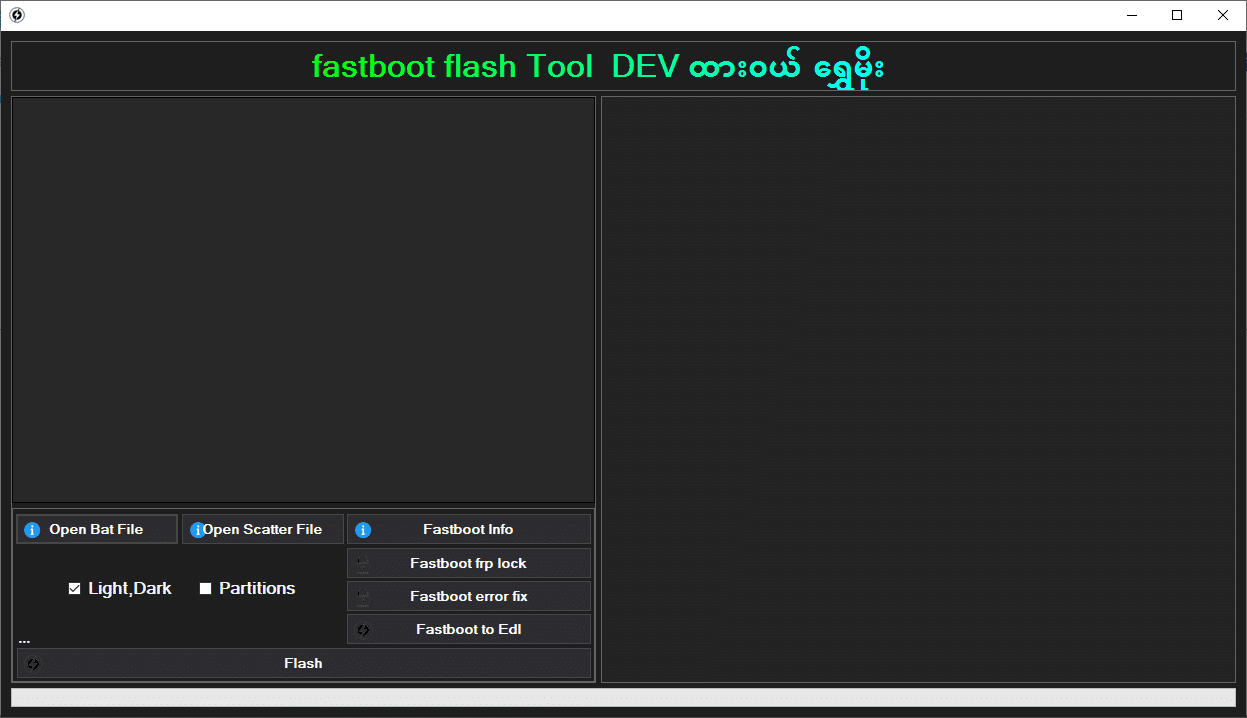
The Latest Version Of The Fastboot Flash Tool Comes With Several Updates To Improve Performance And Compatibility. It Supports Most Android Devices And Firmware Types Making It A One-stop Solution For Flashing Tasks. With This Version Users Can Easily Access The Open Bat File And Open Scatter File Features To Prepare Their Devices For Flashing.
Additionally This Tool Provides Useful Functionalities Such As Fastboot Info To Check Device Status Fastboot Frp Lock For Security Bypassing And Fastboot Error Fix To Resolve Common Issues During Flashing. Its Intuitive Interface Ensures That Even First-time Users Can Operate It Without Complications.
What Is The Fastboot Flash Tool?
The Fastboot Flash Tool Is A Professional Software Application Designed For Flashing Android Firmware Unlocking Frp Locks And Managing Fastboot Commands. It Bridges The Gap Between Complex Developer Tasks And User-friendly Operation Allowing Anyone To Repair Update Or Customize Their Device Firmware Quickly.
One Of The Key Reasons It Stands Out Is Its Ability To Convert Devices From Fastboot To Edl Mode With A Single Click Enabling Advanced Troubleshooting. Whether You Are A Technician Or A Hobbyist This Tool Provides A Reliable Platform To Maintain And Update Your Android Devices.
First Of All, You Must Get The Zip File By Clicking The Following Link
After That, You Need To Unzip All Files In C: Drive (important)
Make Sure You’ve Turned Off The Antivirus To Running The Installation
Then, To Open The Folder, Download The Installation File Following Some Basic Instructions
Run The “Fastboot Flash Tool“
The Will Open On Your Pc Screen. Enjoy!
Final Thoughts
The Fastboot Flash Tool Is An Essential Software For Anyone Working With Android Devices. From Flashing Firmware To Unlocking Frp And Fixing Errors It Covers All Bases With An Intuitive Interface And Advanced Features. Its Latest Version Ensures Compatibility Stability And Efficiency Making Device Management Simpler Than Ever.
If You’re Serious About Keeping Your Android Devices Updated Secure And Fully Functional Downloading The Fastboot Flash Tool Lattest Version Free Is The First Step Toward A Smoother And More Reliable Flashing Experience.
How To Download ?
Visit The Gsm Crack Tool Website Of The Tool.
Find The Download Page And Don’t Click Button And Click Only The (Download Link)
Once The Download Is Complete, Locate The Downloaded File On Your Device.
Tap On The File To Begin The Installation Process.
Follow The On-screen Instructions To Complete The Installation.Prime.Q