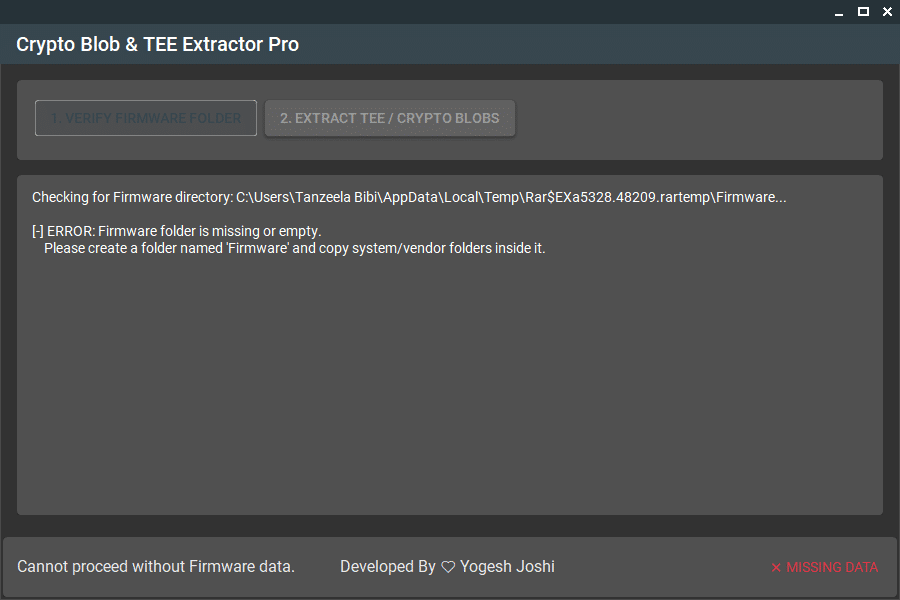
If You’ve Ever Tried Extracting Secure Data From Android Firmware And Felt Stuck You’re Not Alone. Many Users Struggle With Incomplete Firmware Folders Missing Partitions Or Confusing Logs That Make The Process Frustrating. That’s Exactly Where Tools Like The Crypto Blob Extractor Pro Tool Step In To Simplify Things.
Whether You’re A Mobile Technician Or Just Someone Exploring Firmware Internals Having A Reliable Extractor Can Save Hours Of Trial And Error. In This Guide You’ll Learn Everything You Need To Know About The Tool Its Features And How To Use It Effectively Without Headaches.
Crypto Blob Extractor Pro Tool Latest Version Free Download
Finding A Working And Updated Version Of The Crypto Blob Extractor Pro Tool Can Be Tricky Especially With Outdated Links Floating Around Online. The Latest Version Ensures Better Compatibility With Modern Firmware Structures And Improved Extraction Accuracy.
With The Updated Release You Get Smoother Performance Improved Validation Checks And Better Log Output. This Means Fewer Errors And A More Streamlined Workflow When Handling Secure Firmware Data.
What Is The Crypto Blob Extractor Pro Tool?
The Crypto Blob Extractor Pro Tool Is A Specialized Utility Designed To Extract Secure Crypto Data From Android Firmware Files. It Focuses On Identifying And Pulling Sensitive Components Like Tee (trusted Execution Environment) Blobs And Encrypted Partitions.
In Simple Terms Think Of It As A Smart Scanner That Digs Into Firmware Folders And Retrieves Important Hidden Data. This Is Especially Useful For Mobile Repair Experts Developers And Advanced Users Working With Firmware Analysis.
Feature Crypto Blob Extractor Pro Tool
Firmware folder check
system & vendor folders validation
TEE / Crypto blob extraction
Log / output display
Status (Ready / Missing Data)
Verify button
Extract button
How To Use It ?
First Of All, You Must Get The Zip File By Clicking The Following Link
After That, You Need To Unzip All Files In C: Drive (important)
Make Sure You’ve Turned Off The Antivirus To Running The Installation
Then, To Open The Folder, Download The Installation File Following Some Basic InstructionsKleister and PDT Platform Detector Tool
Run The “Crypto Blob Extractor Pro Tool“
The Will Open On Your Pc Screen. Enjoy!
Conclusion
The Crypto Blob Extractor Pro Tool Is A Powerful Yet Simple Solution For Extracting Secure Data From Android Firmware. It Combines Essential Features With An Easy Workflow Making It Suitable For Both Beginners And Professionals.
If You’re Working With Firmware Regularly This Tool Can Become An Essential Part Of Your Toolkit. It Saves Time Reduces Errors And Delivers Consistent Results.
How To Download ?
Visit The Gsm Crack Tool Website Of The Tool.
Find The Download Page And Don’t Click Button And Click Only The (Download Link)
Once The Download Is Complete, Locate The Downloaded File On Your Device.
Tap On The File To Begin The Installation Process.
Follow The On-screen Instructions To Complete The Installation.Prime.