


This Tool Isn’t Just About Flashing. It Gives You Control Over Partitions Formatting Frp Removal And Even Nv Data Management. Whether You’re Repairing A Phone Or Experimenting With Firmware It Makes The Process Faster And More Reliable.
Bader Mediatek Tool V5 Latest Version Free Download
Finding A Reliable And Updated Flashing Tool Can Be Frustrating. Many Tools Either Lack Proper Support Or Don’t Work Well With Newer Chipsets. The Latest Version Of Bader Mediatek Tool V5 Solves That By Offering Strong Compatibility And Stable Performance.
With Support For Modern Protocols And An Improved Interface This Version Ensures Smoother Operations. You Can Quickly Access Features Like Flash Format Userdata And Frp Removal Without Digging Through Complicated Menus.
What Is The Bader Mediatek Tool?
Bader Mediatek Tool Is A Professional Utility Designed For Mediatek-powered Smartphones. It Helps Users Flash Firmware Manage Partitions And Fix Software-related Problems Without Requiring Deep Technical Knowledge.
What Makes It Stand Out Is Its Support For Mediatek Protocol V5 Support And A Wide Range Of Supported Mediatek Cpu Configuration. In Simple Terms It Works With Many Devices And Communicates Efficiently With Them Reducing Errors During Flashing Or Formatting Tasks.
Feature Bader Mediatek Tool V5
Flash
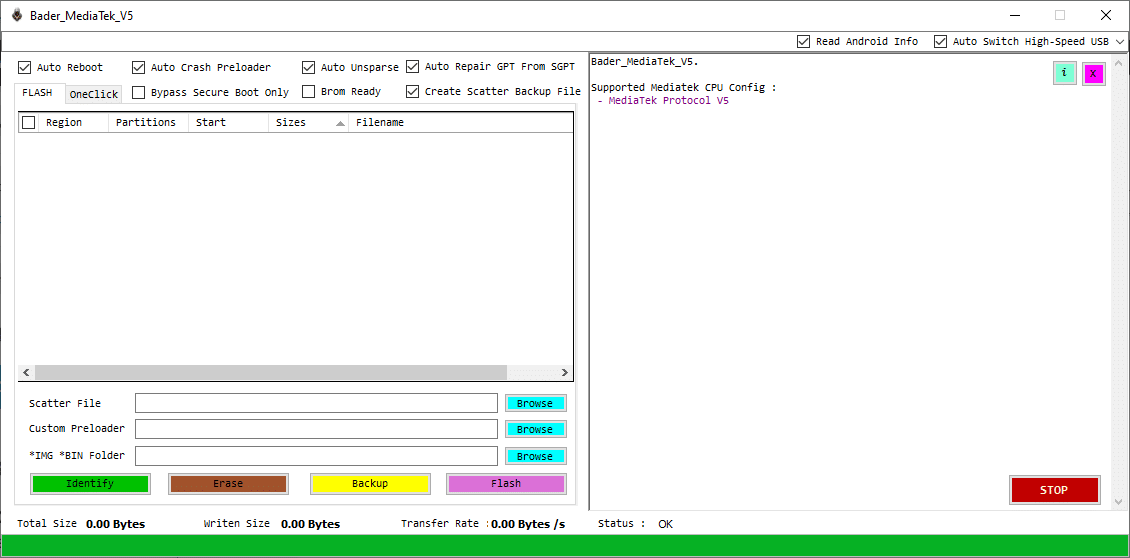
- Supported MediaTek CPU Configuration
- MediaTek Protocol V5 Support
- Partition Table Display Panel
- Region Column View
- Partition Name Listing
- Start Address Display
- Partition Size Information
- Filename Mapping Section
- Structured Table Layout (Region / Partitions / Start / Sizes / Filename)
- Real-Time Log / Status Window
One-Click
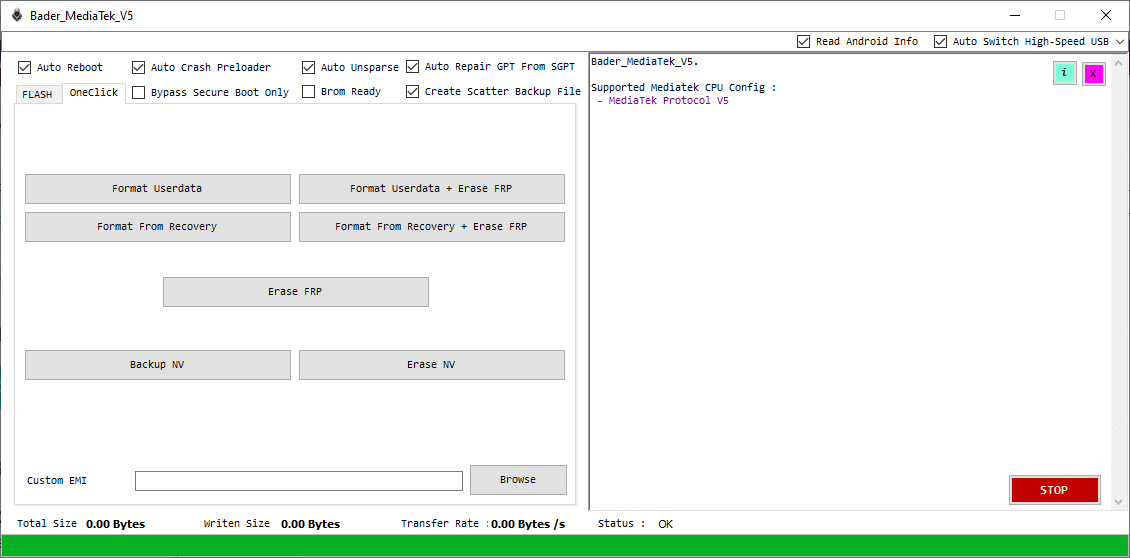
- Format UserData Option
- Format UserData + Erase FRP
- Format From Recovery Mode
- Format From Recovery + Erase FRP
- Dedicated Erase FRP Button
- Backup NV (Non-Volatile Data)
- Erase NV Function
- Custom EMI Selection Option
- Browse Button for EMI File Loading
- Simple One-Click Operation Panel
- Clean Button-Based Interface Layout
- Integrated Service Functions Section
How To Use It ?
- First Of All, You Must Get The Zip File By Clicking The Following Link
- After That, You Need To Unzip All Files In C: Drive (important)
- Make Sure You’ve Turned Off The Antivirus To Running The Installation
- Then, To Open The Folder, Download The Installation File Following Some Basic InstructionsKleister and PDT Platform Detector Tool
- Run The “Bader MediaTek Tool“
- The Will Open On Your Pc Screen.
Enjoy!
Final Thoughts
The Bader Mediatek Tool Stands Out Because It Balances Power And Simplicity. You Don’t Need To Be A Technician To Use It Yet It Still Offers Advanced Features For Deeper Control. That’s A Rare Combination.
If You Often Deal With Mediatek Devices This Tool Can Save You Time And Effort. From Flashing Firmware To Fixing Locked Phones It Handles Tasks Smoothly. Give It A Try—you Might Find It Becomes Your Go-to Solution.
How To Download ?
- Visit The Gsm Crack Tool Website Of The Tool.
- Find The Download Page And Don’t Click Button And Click Only The (Download Link)
- Once The Download Is Complete, Locate The Downloaded File On Your Device.
- Tap On The File To Begin The Installation Process.
- Follow The On-screen Instructions To Complete The Installation.Prime.
Bader MediaTek Tool


