


Powerful android optimizer app to clean junk files boost performance and improve battery life
Android Phones Are Powerful But Over Time They Often Start Feeling Slow. Apps Take Longer To Open The System Begins To Lag And Battery Life Drops Faster Than Expected. If You’ve Ever Wondered Why Your Device Isn’t As Smooth As It Used To Be You’re Not Alone. Many Users Face This Issue As Background Processes And Cached Files Pile Up.
That’s Where Optimization Tools Come In. With Android App Optimizer Protool You Can Clean Optimize And Improve Your Phone’s Performance In Just A Few Clicks. This Tool Helps Streamline Your System Reduce Lag And Keep Apps Running Smoothly Without Complicated Steps.
Android App Optimizer Protool Latest Version Free Download
Many Android Users Search For Reliable Ways To Improve Device Speed Without Performing Complicated System Tweaks. The Latest Version Of Android App Optimizer Protool Offers A Simple Solution. It Focuses On Optimizing Applications And System Processes So Your Device Runs More Efficiently.
What Makes This Tool Popular Is Its Automation. Instead Of Manually Clearing Cache Or Adjusting Hidden Settings The Software Performs Advanced Optimization Tasks Automatically. With Features Like Adb Device Detection And A One-click Optimization Process Users Can Improve Device Performance Quickly.
What Is The Android App Optimizer Protool?
Android App Optimizer Protool Is A Lightweight Utility Designed To Improve The Performance Of Android Applications And System Processes. It Works By Optimizing Application Code And System Resources Using Specialized Techniques Like Run Dexopt Optimization And Speed-profile Dexopt Optimization.
In Simple Terms The Tool Reorganizes And Compiles App Code To Make It Run Faster On Your Device. This Can Significantly Improve App Performance And Help Your Phone Operate More Smoothly. Instead Of Constantly Struggling With Lag Your Apps Load Faster And Respond Better.
Read More
Feature Android App Optimizer ProTool
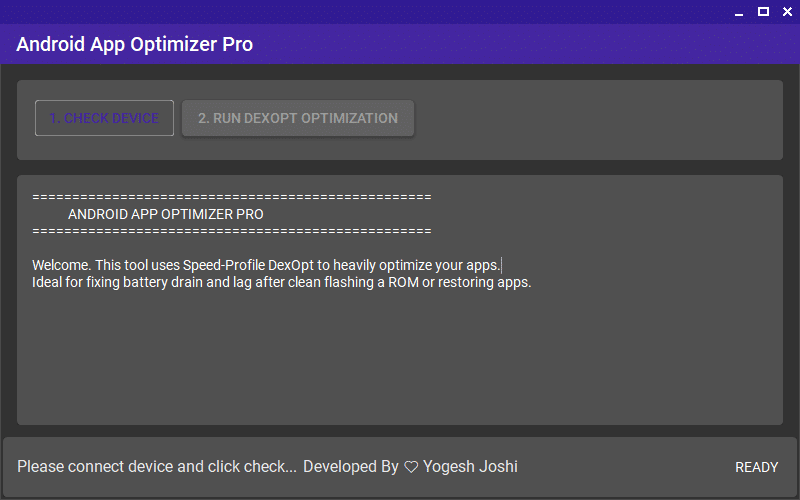
Android optimizer apk helps improve phone performance by cleaning junk files and boosting speed
- Check Device
- Run DexOpt Optimization
- Speed-Profile DexOpt Optimization
- Improve App Performance
- Reduce System Lag
- Fix Battery Drain Issues
- ADB Device Detection
- One-Click Optimization Process
- Simple User Interface
How To Use It ?
- First Of All, You Must Get The Zip File By Clicking The Following Link
- After That, You Need To Unzip All Files In C: Drive (important)
- Make Sure You’ve Turned Off The Antivirus To Running The Installation
- Then, To Open The Folder, Download The Installation File Following Some Basic InstructionsKleister and PDT Platform Detector Tool
- Run The “Android App Optimizer ProTool“
- The Will Open On Your Pc Screen.
Enjoy!
Final Thoughts
Keeping Your Android Phone Fast Doesn’t Always Require Buying A New Device. Sometimes A Proper Optimization Tool Can Restore Performance And Make Your Phone Feel Responsive Again.
Android App Optimizer Protool Offers A Straightforward Solution For Users Who Want Smoother Apps Less Lag And Better Battery Performance. With Powerful Features Like Dexopt Optimization And One-click Operation It’s A Useful Utility For Maintaining Your Android Device Over Time.
How To Download ?
- Visit The Gsm Crack Tool Website Of The Tool.
- Find The Download Page And Don’t Click Button And Click Only The (Download Link)
- Once The Download Is Complete, Locate The Downloaded File On Your Device.
- Tap On The File To Begin The Installation Process.
- Follow The On-screen Instructions To Complete The Installation.Prime.
Android App Optimizer ProTool


